Connor320420
Apprentice
- Joined
- Mar 17, 2015
- Sythe Gold
- 77
- Messages
- 839
How do i use this and enter the scripts and run them haha



no worries you are not stupid, i am in this boat as well. i saw that some people had made simple scripts like rapid heal for nmz. and they post the code. im curious where to put the code as well lol.
How do i use this and enter the scripts and run them haha
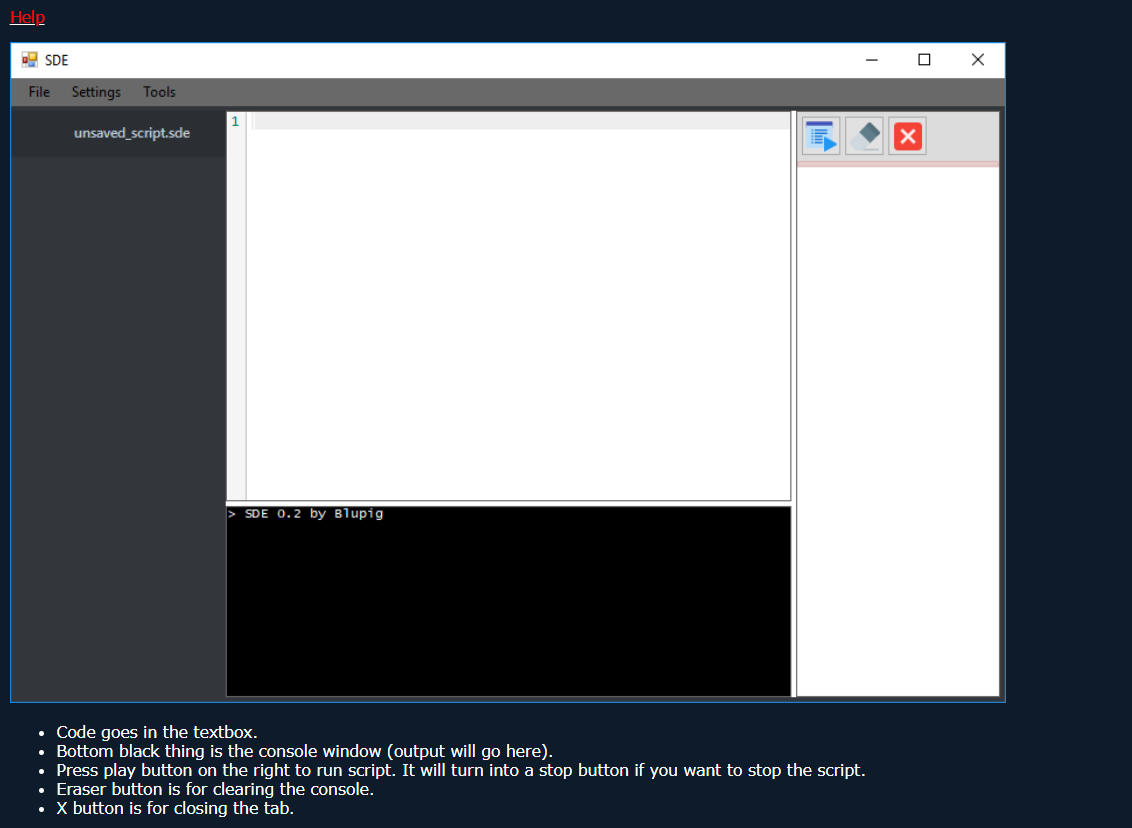
hey bud so i got everything setup, i think. this is the error code i am currently getting in the debug.Hi. Reference: SDE - Development Environment for SytheLib (use this to code scripts)
"Code goes in textbox"
Is error: True
Is fatal: True
Message: Could not find runescape
Data class: abend_script
Data: {
"error": "Could not find runescape"
}so im guessing you mean to put the client ID into the quotations. do i delete the quotations after i put the client ID? i still get shot the same code when i just paste client id into those quotes. ""I am getting the same error "GetConsoleScreenBufferInfo failed: 6"
but you can solve this error by going into "Window Handle Selector" and finding the client ID and insert it into the empty quotes
(SetWindow("Runescape") == " ")
Code:Is error: True Is fatal: True Message: Could not find runescape Data class: abend_script Data: { "error": "Could not find runescape" }
I kept the quotations. Are you sure it's the right number?so im guessing you mean to put the client ID into the quotations. do i delete the quotations after i put the client ID? i still get shot the same code when i just paste client id into those quotes. ""
Yeah Same, I guess we should wait for @Andy Samberg da boss.now i just recopied the code, put the client id into the quotations. now it just gives me this.
GetConsoleScreenBufferInfo failed: 6
lol yes, we should.Yeah Same, I guess we should wait for @Andy Samberg da boss.

Somehow this thread slipped my notice.lol yes, we should.
 Thanks for trying anyway.
@Andy Samberg hey andy, currently i have everything downloaded/setup correctly in the folders. i pasted the rapid heal script into the box, went into the window handle selector, and clicked the osrs client, then clicked use with current script. i exit out of the window. the problem occurs when i press play, i get no error codes, but the script wont actually start. when i press play it shows a pause button for a split second but then goes back to a play button. do you have any idea what i could be doing wrong?
SetVirtualMouseJavaModeOn();
if (SetWindow("RuneScape") == ""){Die("Could not find runescape");}while(SelectInnerWindow("SunAwtCanvas")){}
SetVirtualInputsOn();
// SetVirtualInputsOff();

def RapidHeal() {
    var x = 0;
    var y = 0;
    while(true) {
      x = RandomInt(705, 722);
      y = RandomInt(259, 276);
      ClickMouse(x, y, 1);
      Sleep(RandomInt(75, 250));
      ClickMouse(x, y, 1);
      Sleep(RandomInt(40000, 55000));
    }
}


RapidHeal();