- Joined
- Oct 26, 2014
- Sythe Gold
- 84
- Messages
- 170


GENEROUSLY SPONSORED BY:

Affordable DDoS protected web hosting ★★ Powerful botting VPS service ★★ Private proxies for RS botting
Affordable DDoS protected web hosting ★★ Powerful botting VPS service ★★ Private proxies for RS botting
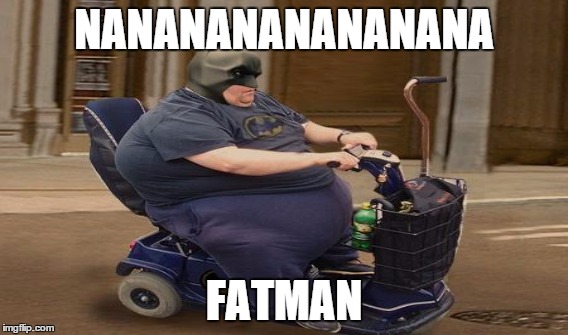
Hey Sythe! The CDT have put together an exciting, Halloween-themed version of "Caption this Meme" for you all to participate in with the possibility of earning some cool prizes!
How to play:
- Follow the link as illustrated under the meme!
- Caption the meme accordingly
- Re-upload and share your captioned image back to this thread
- You only get one entrance!
Prize List!
- $20 + Holiday Minirank + Prizebox!
- $10 + Holiday Minirank!
- $5 + Holiday Minirank!
- All other contestants will receive the Holiday Minirank!
How will the winner be selected?
After all participants have submitted an entrance, the 1st stage of voting will be handled by the CDT. Such that the CDT will compile all the participant's submissions and vote accordingly for the top 5! The top 5 will then be submitted to you (the community) for the final voting stage! Here on, the entrant who garners the most votes will win and thereby followed by the runner up and 3rd place, respectively. There are 3 options for you to choose from, which have been shown below. Please follow the instructions in the spoiler if you find yourself stuck.

1st Option

2nd Option

3rd Option

Visit this link: https://imgflip.com/memegenerator and follow the prompts to caption the image yourself!
Good luck to all participants - and might I add to please keep the content illustrated on the memes to suitable standard.
We would love to hear from you!
Did you like this or a previous event? anything we can do better? Leave some feedback for the CDT here: http://www.sythe.org/community-input/1799952-community-development-team-suggestions-feedback.html
2nd Option
3rd Option
Example:

First you will need save your preferred meme as listed above to your computer.
From there, you will need to follow this link:https://imgflip.com/memegenerator which will take you to a page where you will be able to upload your respective meme. From here you will click on "Add Image" and choose the file.

From there, in the text boxes on the right hand side you'll want to enter your desired text to be place at each respective end of the image.

From there you will hit the 'generate' button which will bring you to the following page: in which you will copy and paste the image link as outlined to paste onto Sythe.

From there you will head back to Sythe onto the thread and scroll to the quick post and hit the following button:

Where you will then paste the code as taken from the previous website and hit OK and post your new meme!
From there, you will need to follow this link:https://imgflip.com/memegenerator which will take you to a page where you will be able to upload your respective meme. From here you will click on "Add Image" and choose the file.
From there, in the text boxes on the right hand side you'll want to enter your desired text to be place at each respective end of the image.
From there you will hit the 'generate' button which will bring you to the following page: in which you will copy and paste the image link as outlined to paste onto Sythe.
From there you will head back to Sythe onto the thread and scroll to the quick post and hit the following button:
Where you will then paste the code as taken from the previous website and hit OK and post your new meme!
Visit this link: https://imgflip.com/memegenerator and follow the prompts to caption the image yourself!
Good luck to all participants - and might I add to please keep the content illustrated on the memes to suitable standard.
We would love to hear from you!
Did you like this or a previous event? anything we can do better? Leave some feedback for the CDT here: http://www.sythe.org/community-input/1799952-community-development-team-suggestions-feedback.html












 !!!