




 (PhpBB) Adding a counter
This tutorial will show you how to add a counter to your forum.
First of all I want to point out that this will not be displayed at the bottom of your forum or anything like that. You have to make a category and then a forum, this will be placed in the forum description.
Preview:

This can be at the bottom or on the top, doesn't matter.
Alright here we go:
Go to http://www.amazingcounters.com/ and choose a counter you want
They will ask you for your email and your site name and stuff, just fill that out.
Once you get to this page stop and go to your forum.
At your forums go to the admin control panel and go to the posting tab
Once there you should see the BBcodes thing, click add new BBcode.
In the BBcode Usage box put this in
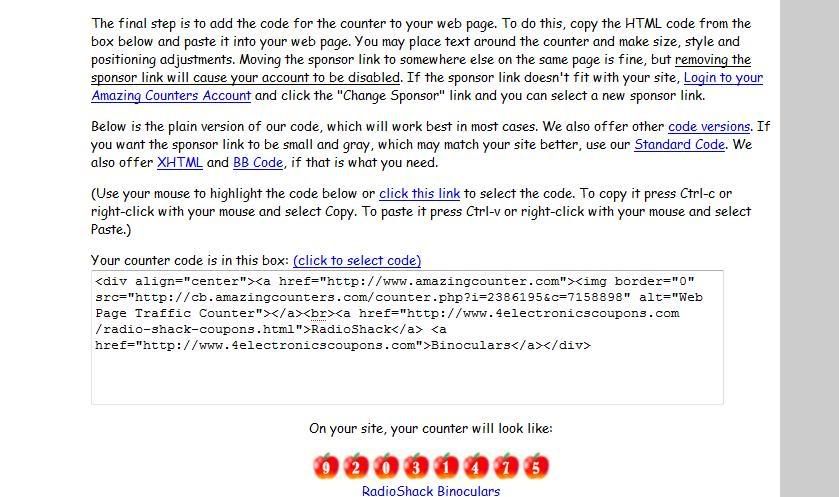
Then go to the site where you made the counter and get the code from this page:
Once you copied the code paste it in the HTML replacement box.
In the help line section put in whatever you want it to say. Also it's up to you if you want this visible to users.
Once your done this hit submit and add the code
into the description of a category or whatever.
-Fatih
First of all I want to point out that this will not be displayed at the bottom of your forum or anything like that. You have to make a category and then a forum, this will be placed in the forum description.
Preview:
This can be at the bottom or on the top, doesn't matter.
Alright here we go:
Go to http://www.amazingcounters.com/ and choose a counter you want
They will ask you for your email and your site name and stuff, just fill that out.
Once you get to this page stop and go to your forum.
At your forums go to the admin control panel and go to the posting tab
Once there you should see the BBcodes thing, click add new BBcode.
In the BBcode Usage box put this in
Code:
[counter][/counter]Then go to the site where you made the counter and get the code from this page:
Once you copied the code paste it in the HTML replacement box.
In the help line section put in whatever you want it to say. Also it's up to you if you want this visible to users.
Once your done this hit submit and add the code
Code:
[counter][/counter]-Fatih


