



So, you have received the final product and wonder how to add it to your Sythe profile? Follow these easy steps.
Crop
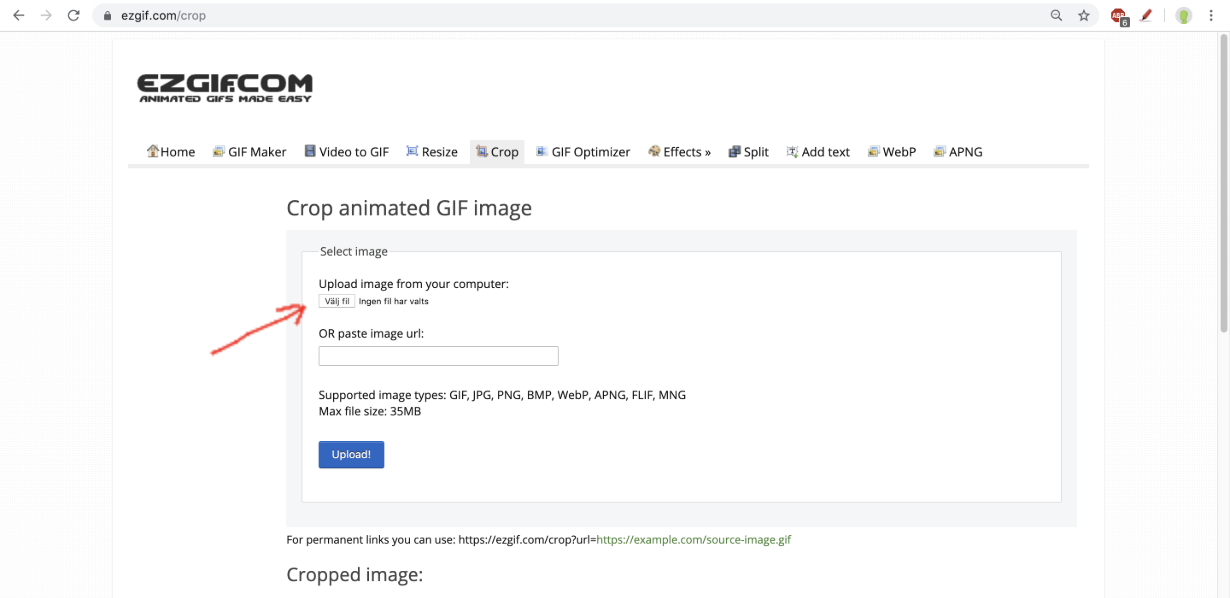
1. Head over to https://ezgif.com/crop/
2. Upload your image
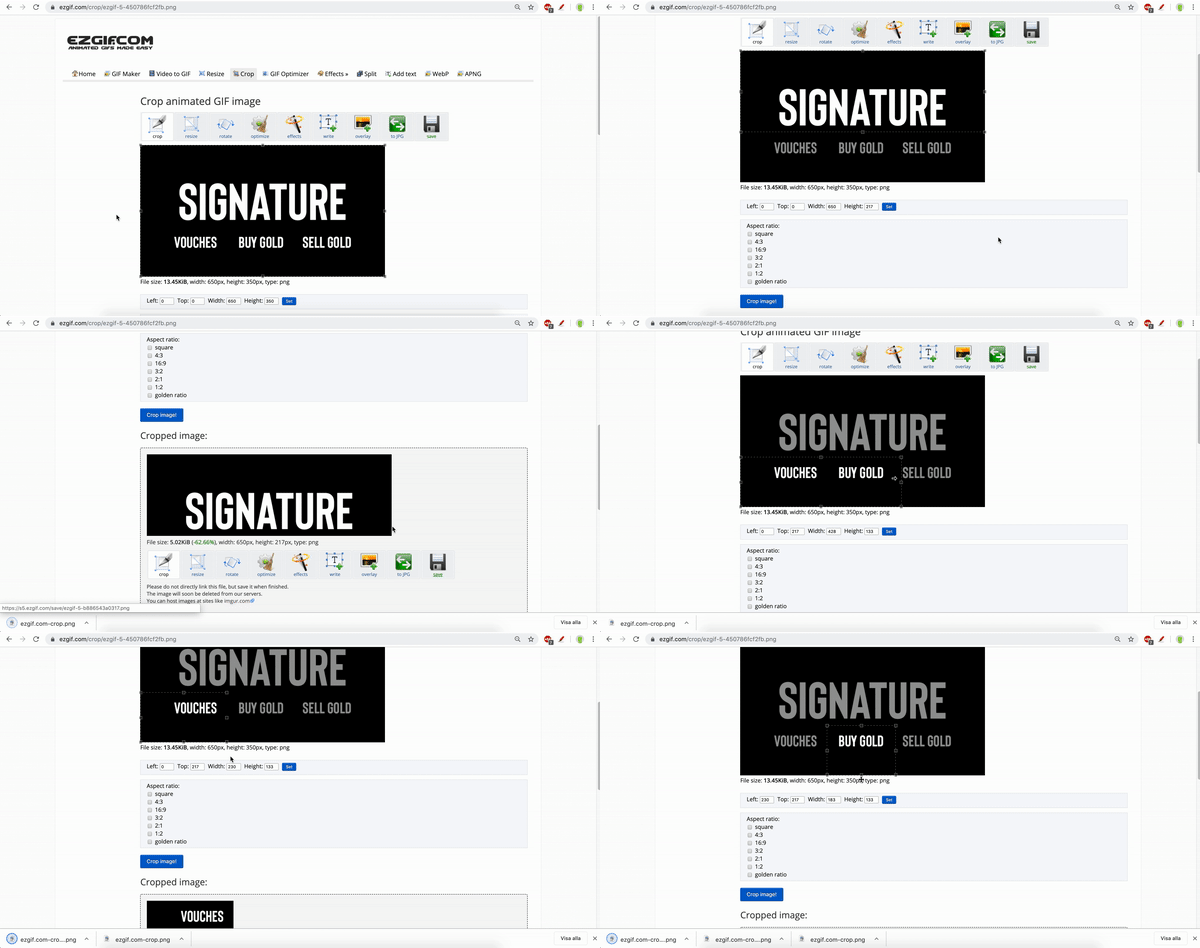
3. Crop your signature by dragging the handles as shown below
Upload
4. Upload your cropped images to Imgur or Gyazo
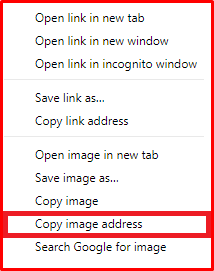
5. Right click an image and select "Copy Image Address"
6. Go to https://www.sythe.org/account/signature to edit your signature
7. Click on the Image button and insert the copied Image Address as shown below
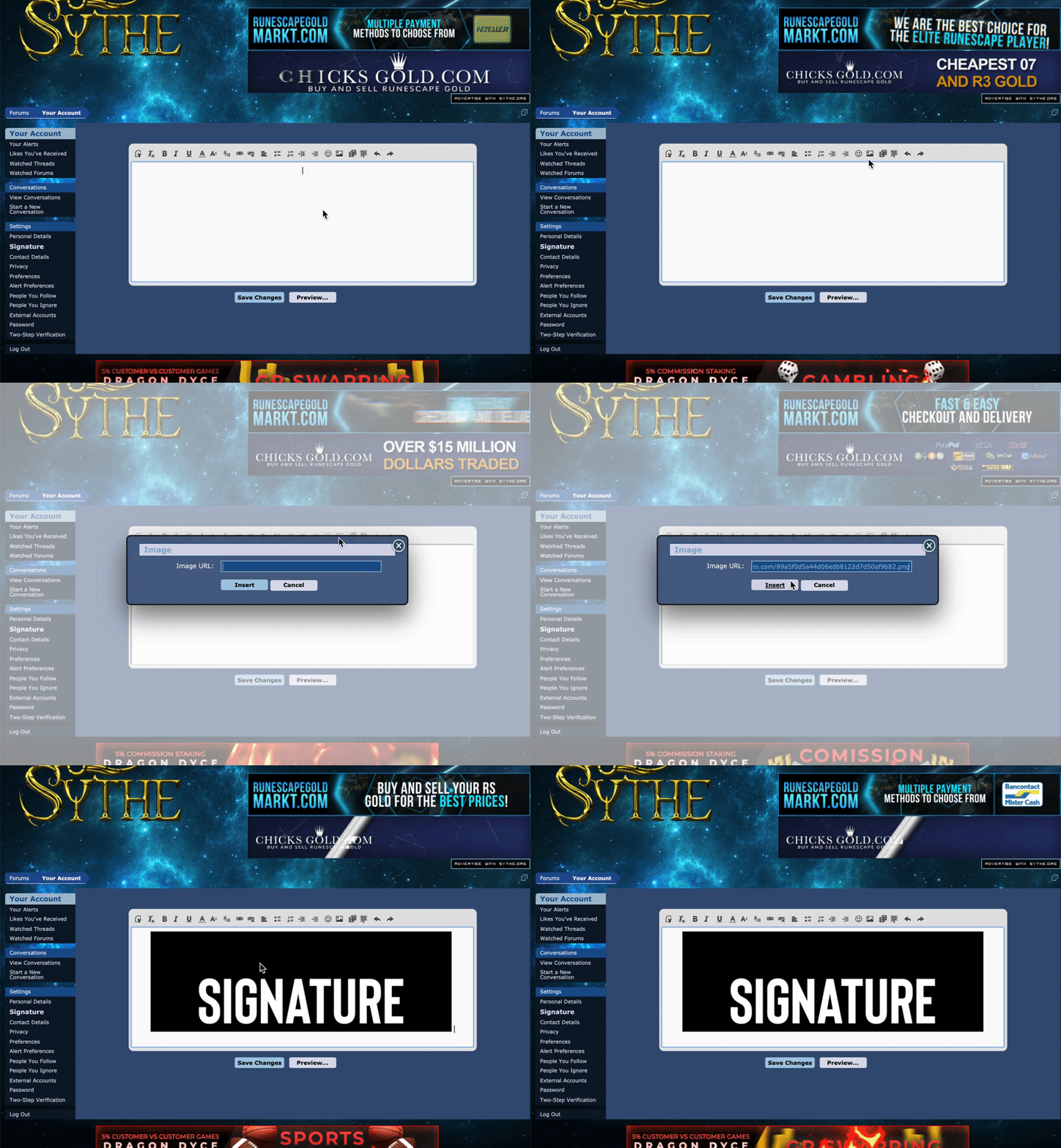
8. Do this for all your cropped images. Don't forget to press backspace after inserting an image, as a blank space is automatically added after insertion.
Hyperlink
9. Select the image you want to link and click on Link button. Paste the URL of the thread you want the image to link to when clicked on.
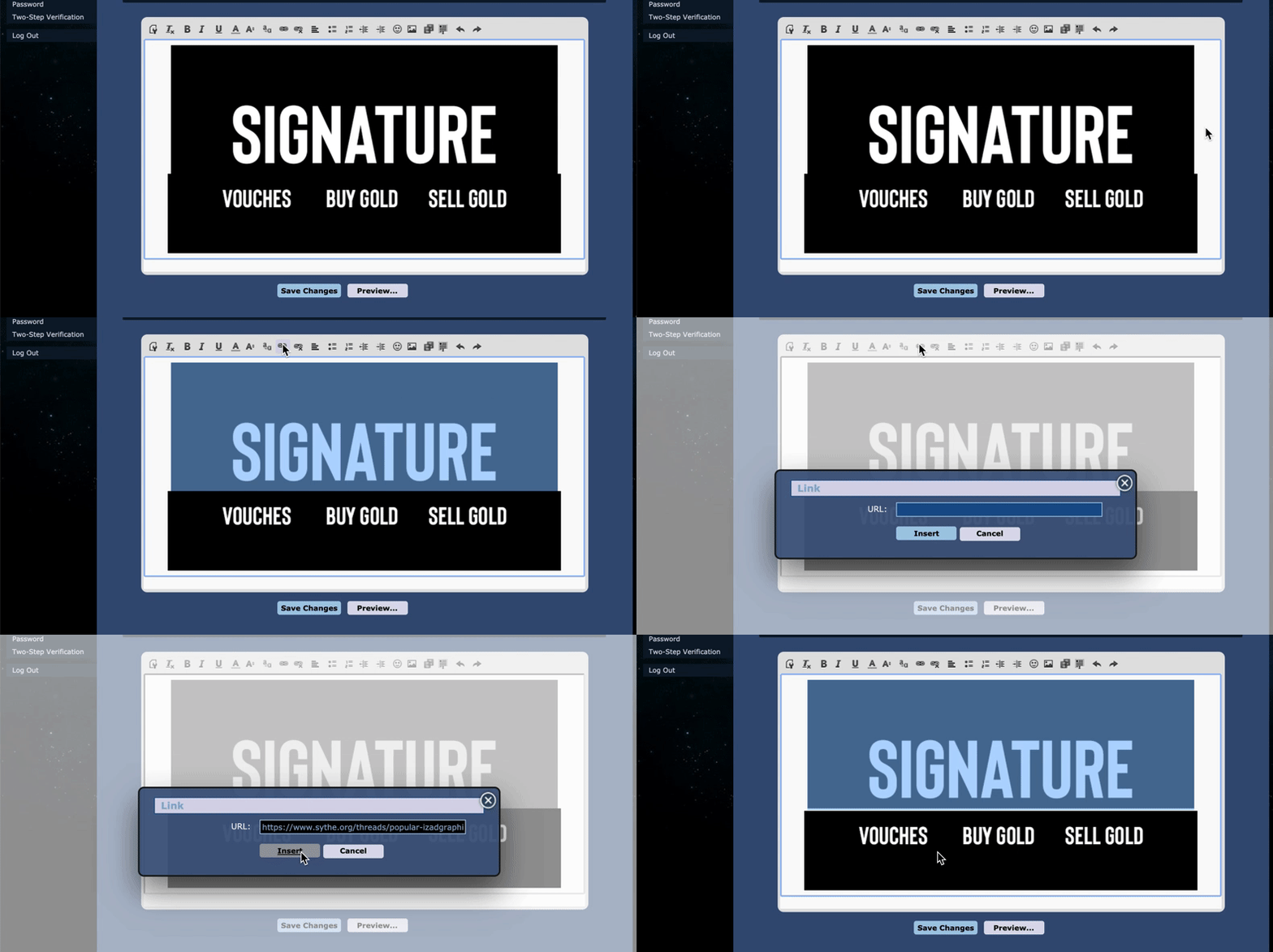
10. Make sure you hyperlink all parts in the signature to avoid formatting errors. In the example above you would want to hyperlink all 4 parts.
Congratulations!
You now have an awesome working signature.
Crop
1. Head over to https://ezgif.com/crop/
2. Upload your image
3. Crop your signature by dragging the handles as shown below
Upload
4. Upload your cropped images to Imgur or Gyazo
5. Right click an image and select "Copy Image Address"
6. Go to https://www.sythe.org/account/signature to edit your signature
7. Click on the Image button and insert the copied Image Address as shown below
8. Do this for all your cropped images. Don't forget to press backspace after inserting an image, as a blank space is automatically added after insertion.
Hyperlink
9. Select the image you want to link and click on Link button. Paste the URL of the thread you want the image to link to when clicked on.
10. Make sure you hyperlink all parts in the signature to avoid formatting errors. In the example above you would want to hyperlink all 4 parts.
Congratulations!
You now have an awesome working signature.
Last edited: