



- Joined
- Nov 5, 2018
- Sythe Gold
- 50
- Messages
- 47
I ripped this off of my partners site with permissions -
Wanted to share this for new users
Wanted to share this for new users
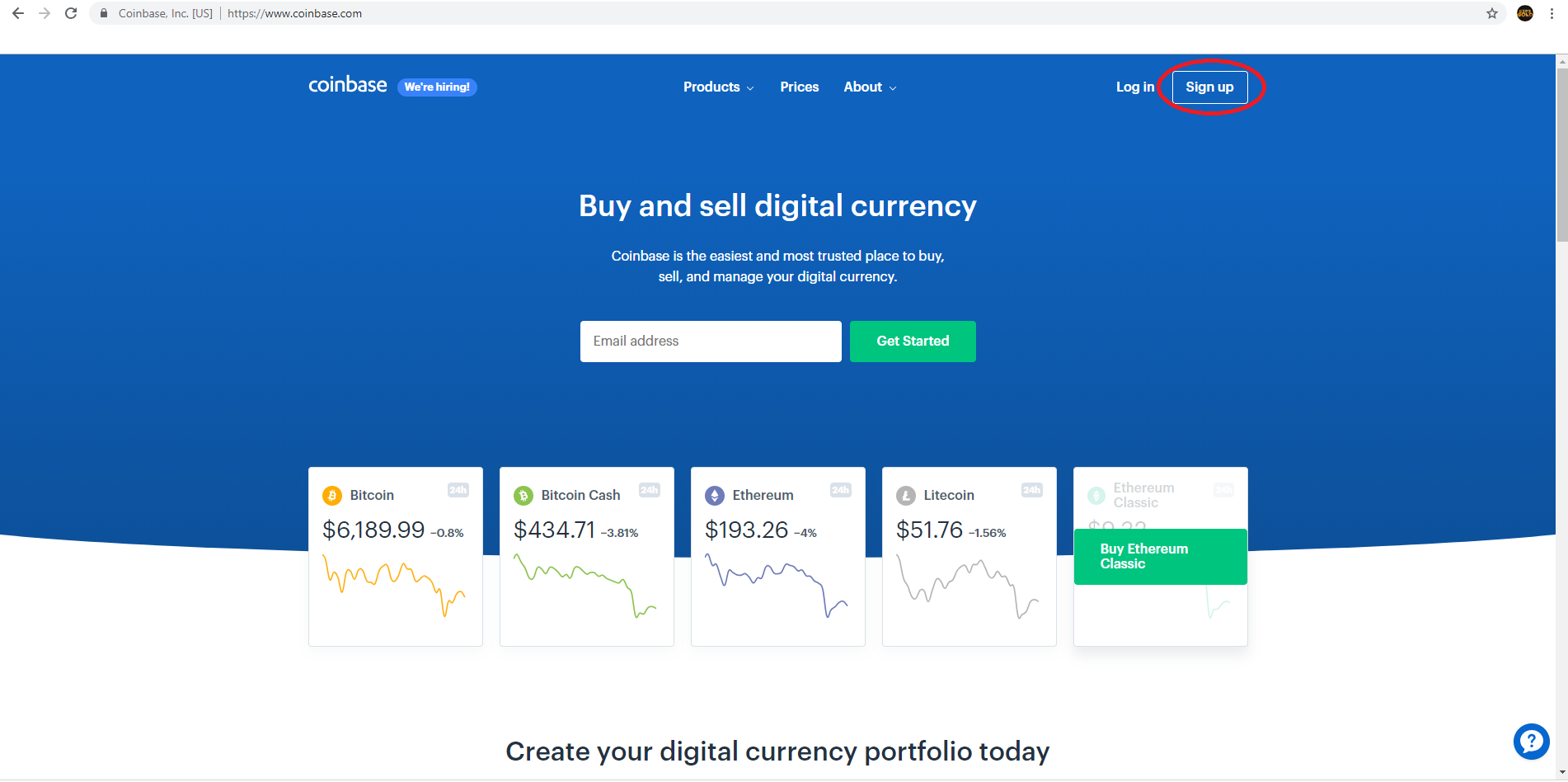
- Start by going to http://coinbase.com and clicking Sign Up in the top right corner
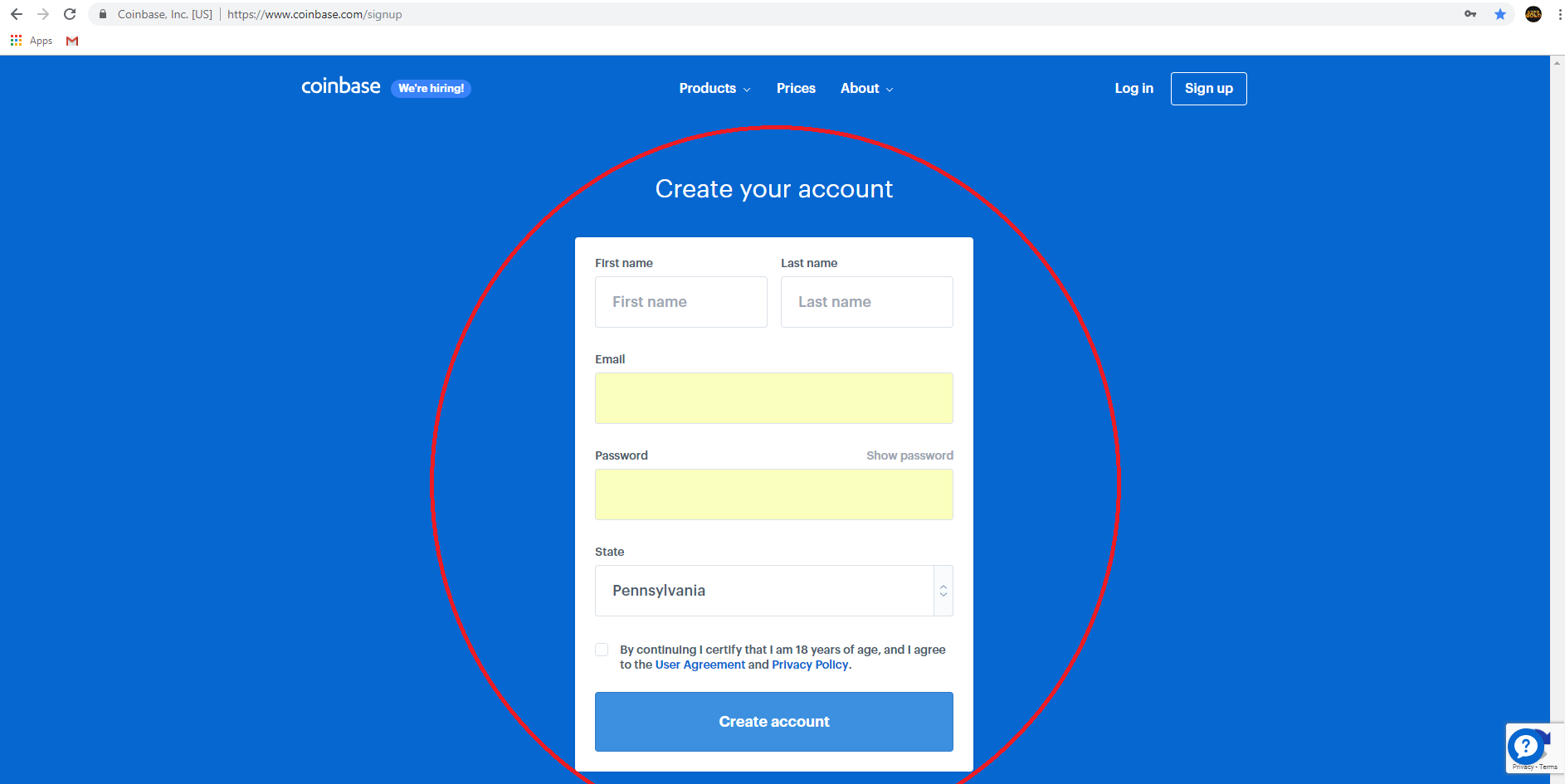
- Create an account by entering your email and password
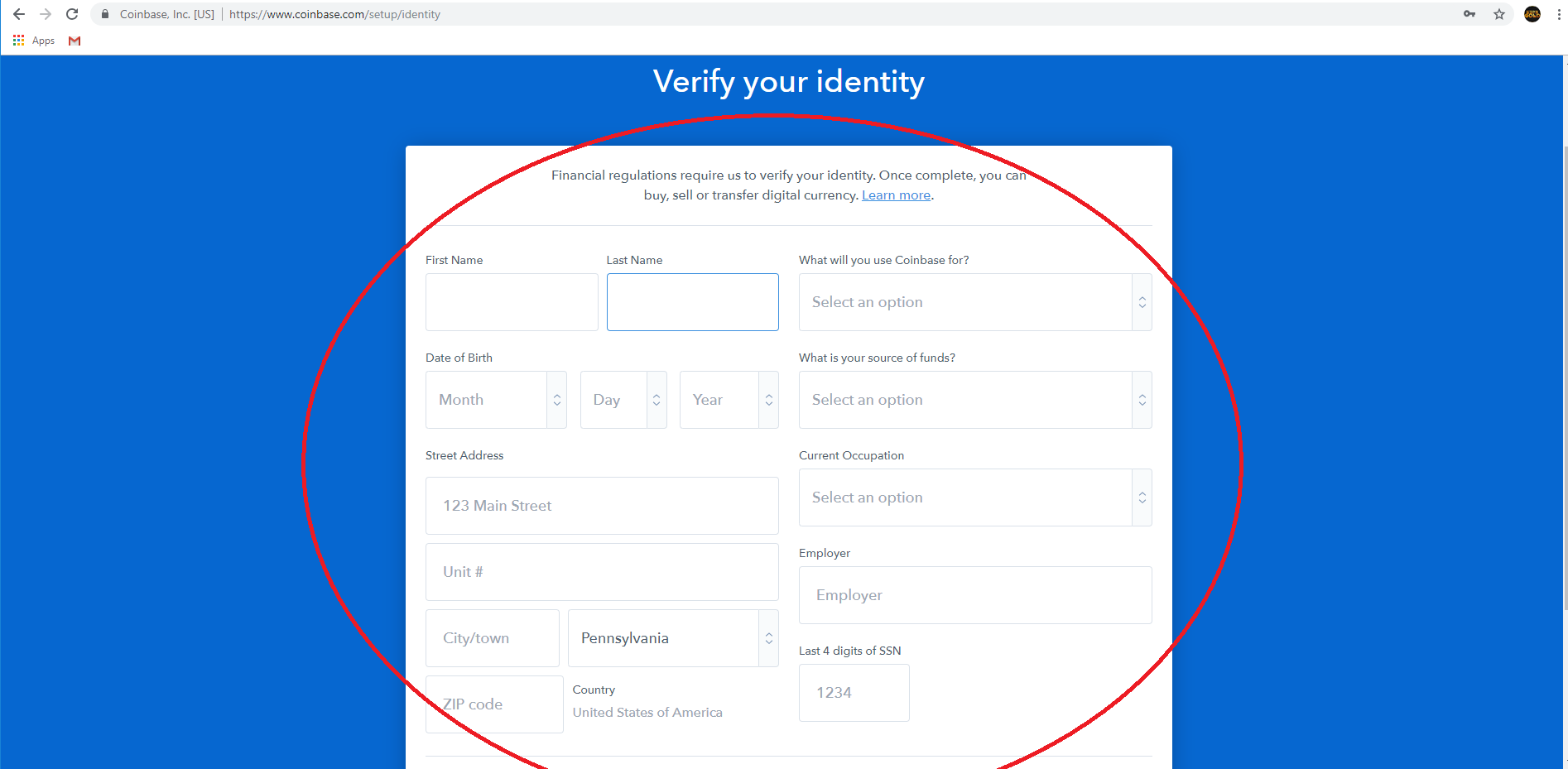
- Verify your Identity by filling out the form
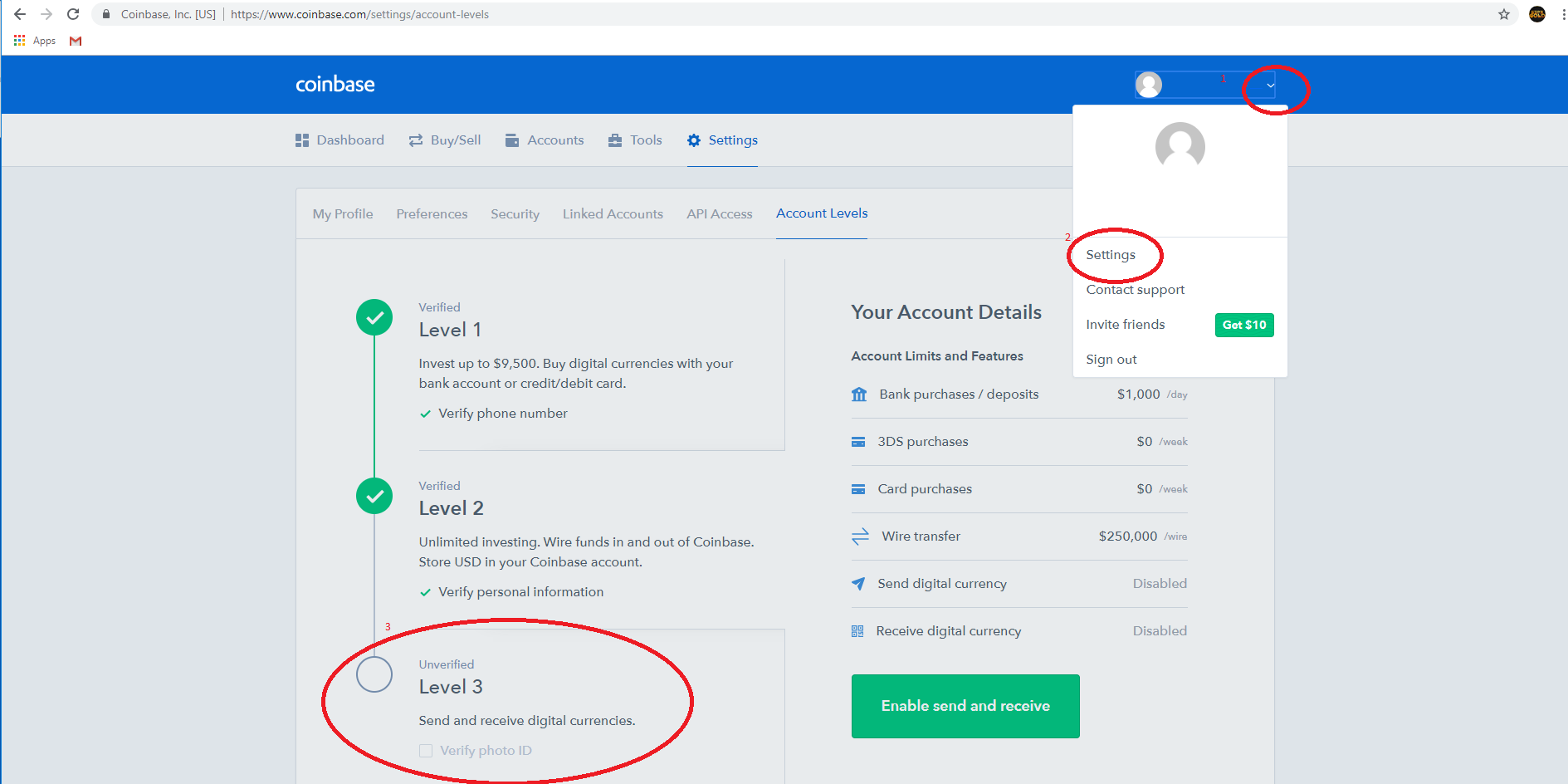
- Click the drop down in the top right and go to settings and verify your ID
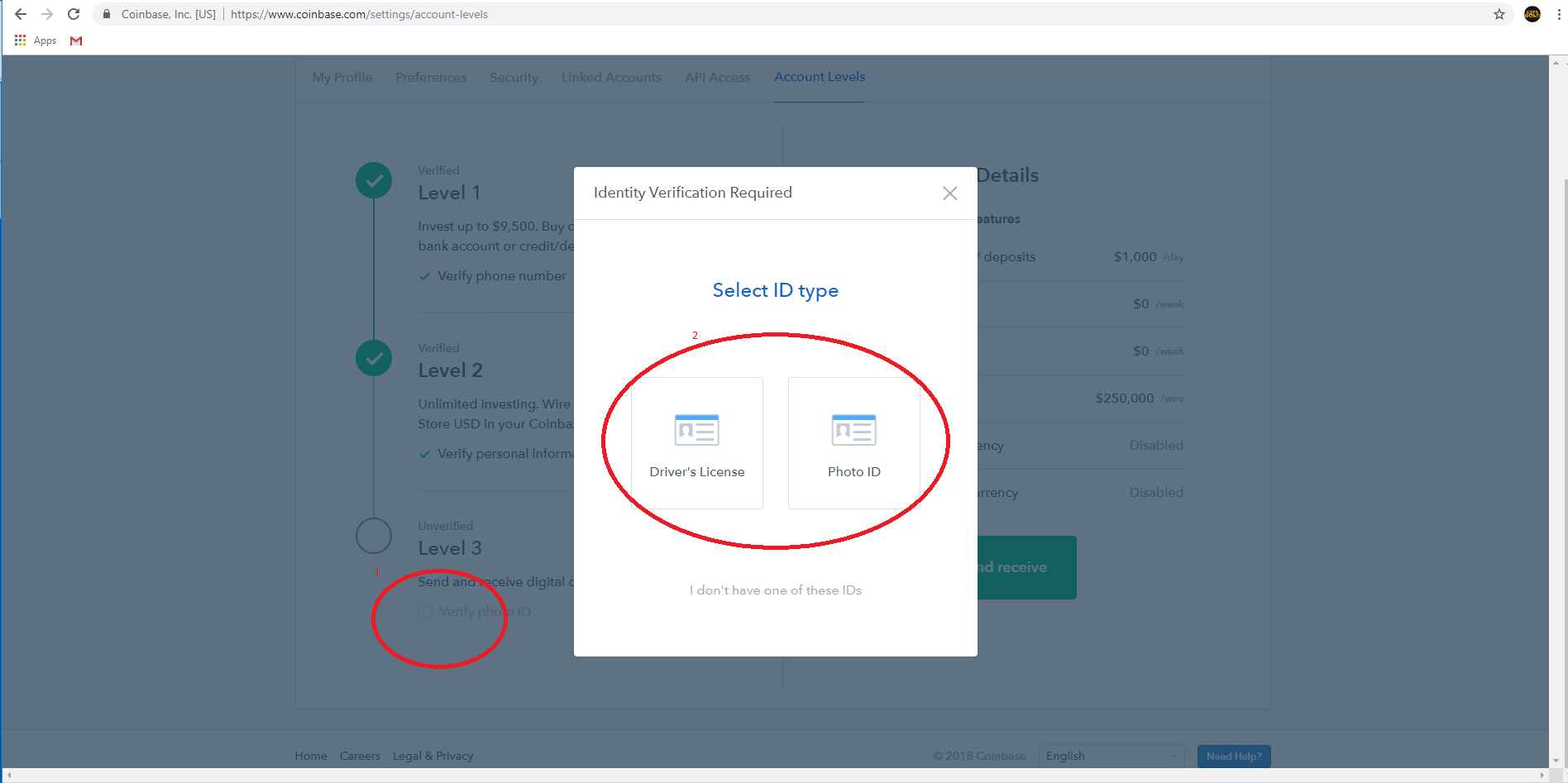
- Upload an image of your Driver License or Photo ID
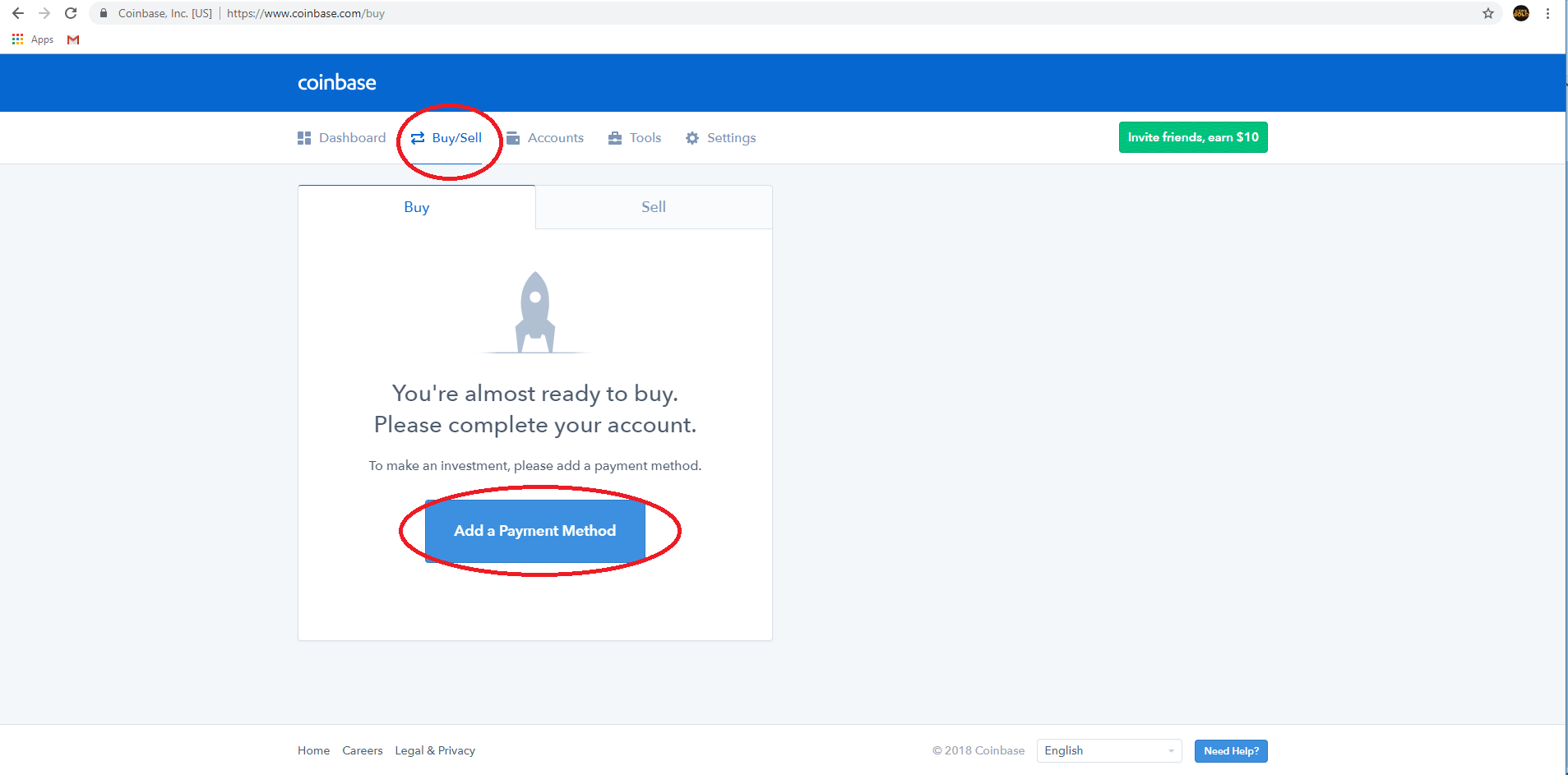
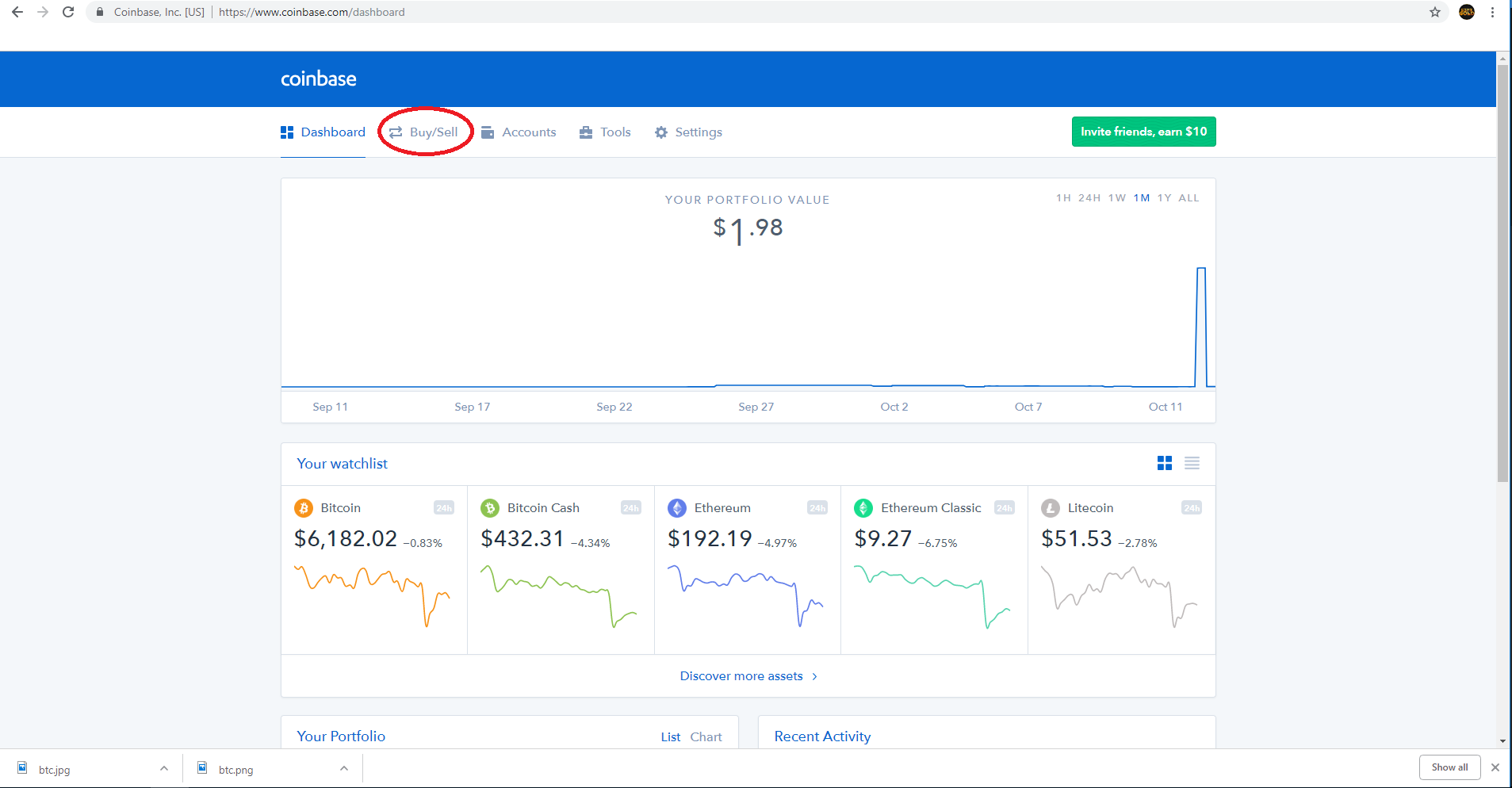
- Once you are verified Click the Buy/Sell Tab then click Add a Payment Method
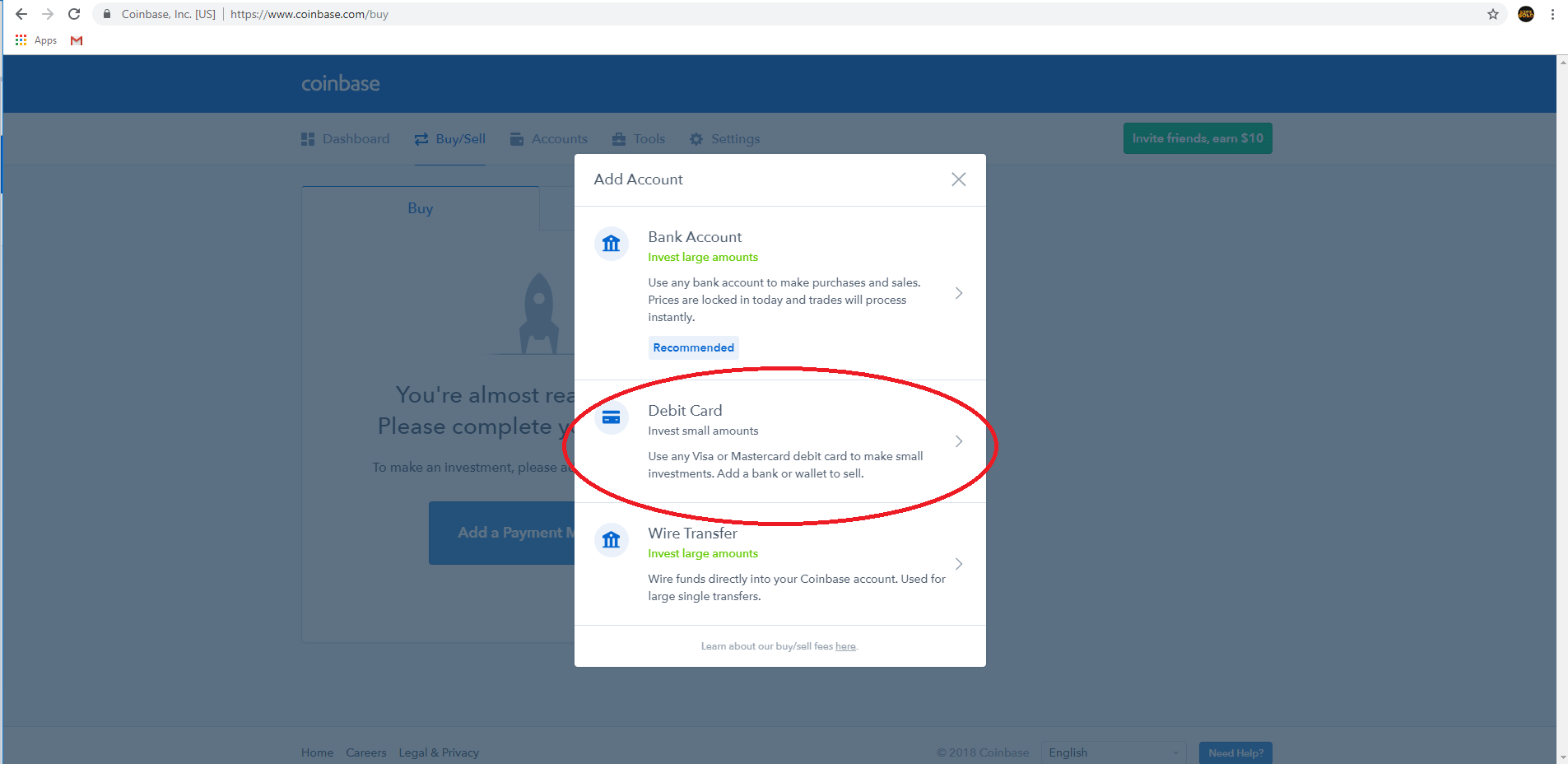
- Add a Debt Card to your Account
- Click the Buy Sell Tab
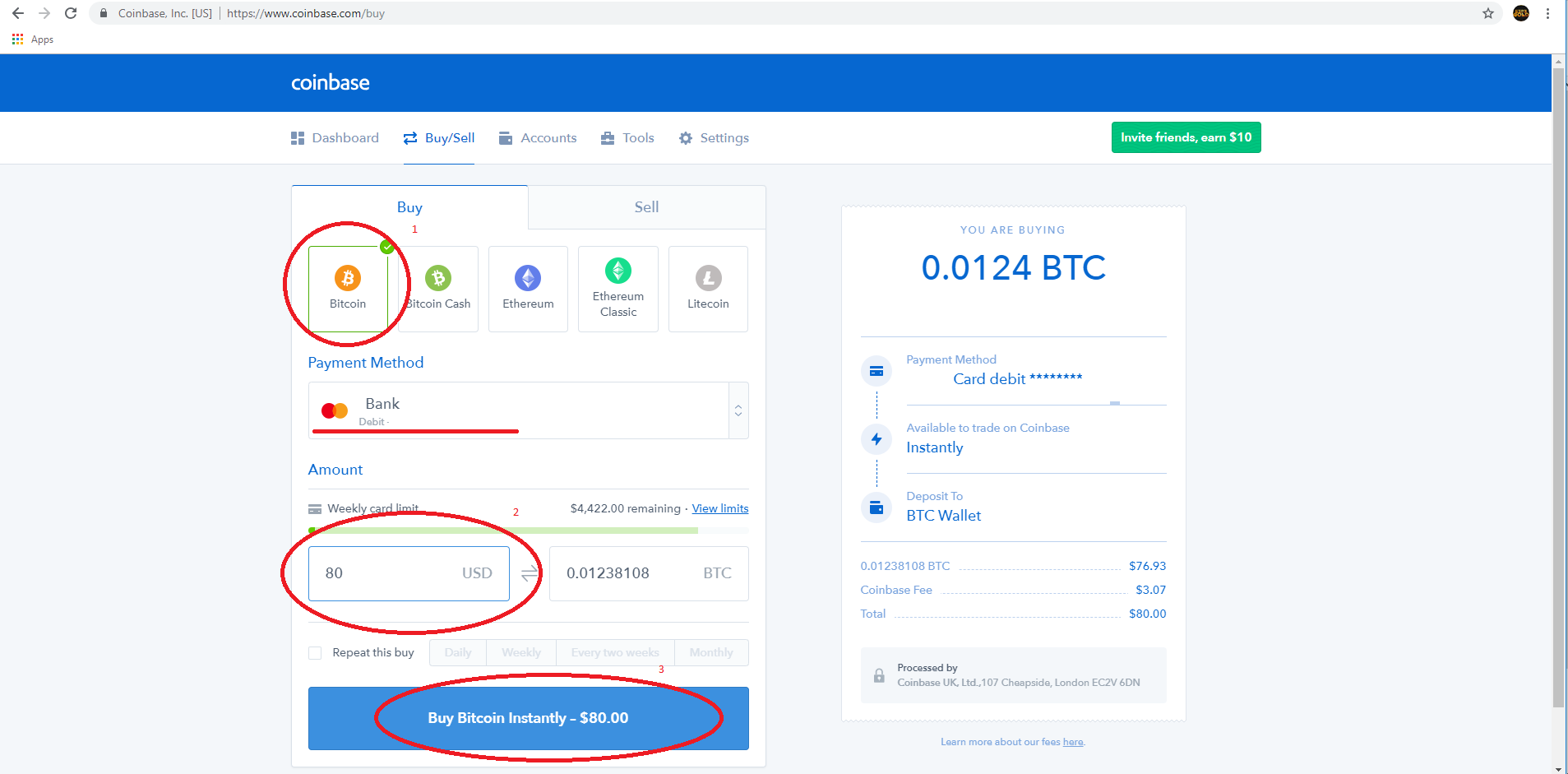
- Click the Bitcoin Icon and add the amount in USD. Then select the Debt Card and click Buy Bitcoin Instantly
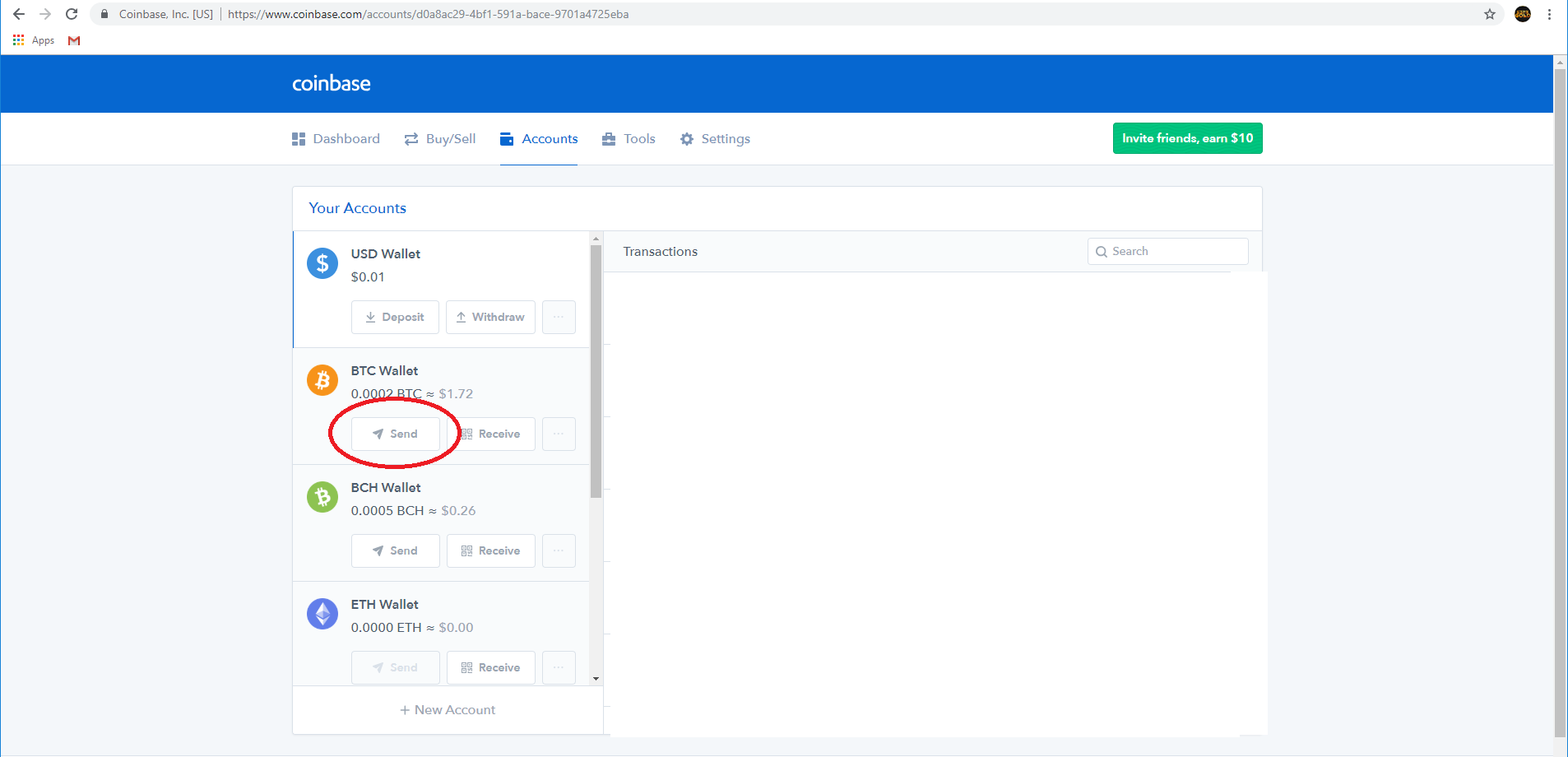
- Once your buy is successful click on the Accounts tab then click Send.
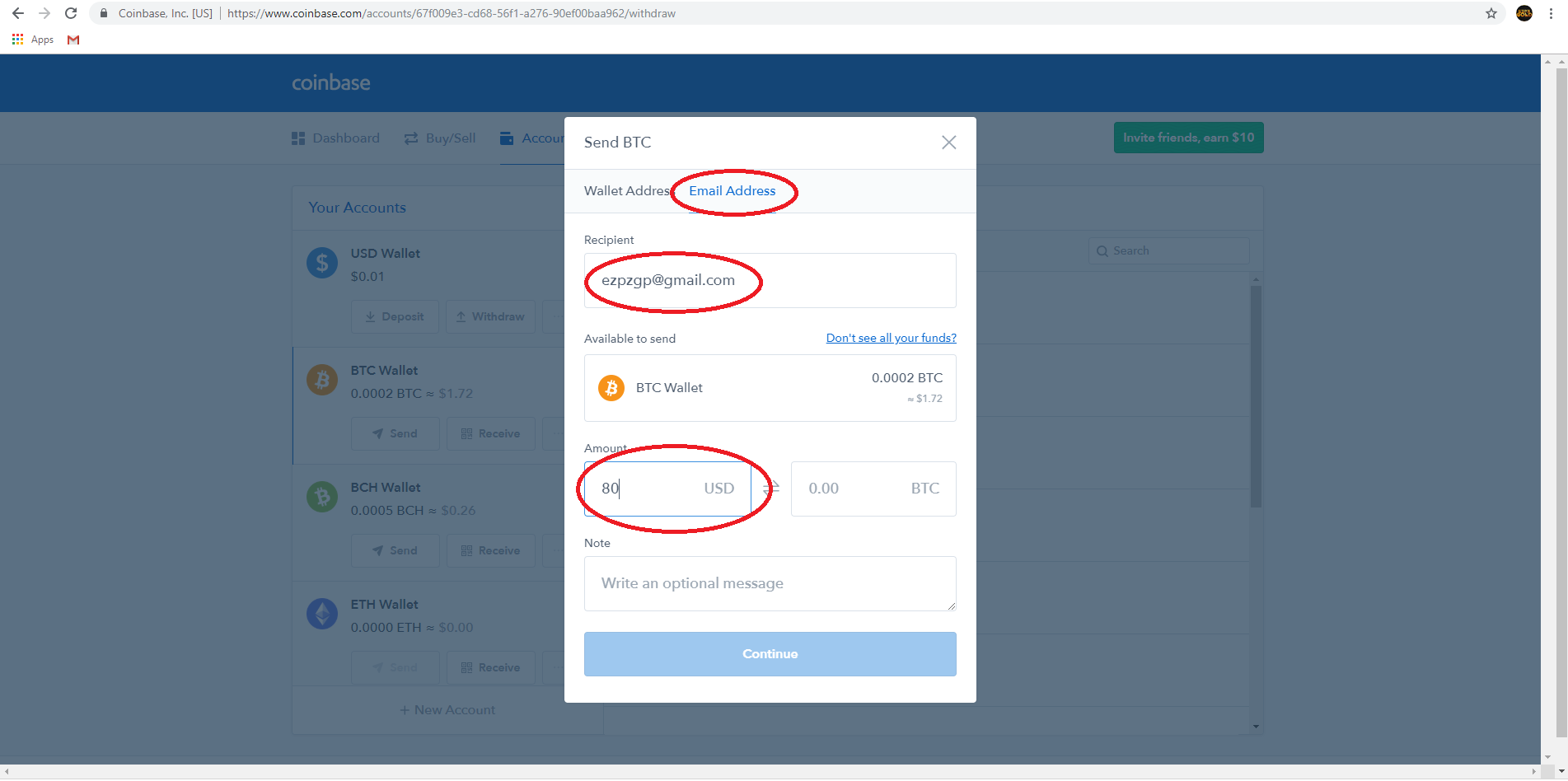
- Click the Email Address Tab and enter the email of the person you are paying/ the wallet you are sending to and the amount you would like to send.
- Click the Email Address Tab and enter the email of the person you are paying/ the wallet you are sending to and the amount you would like to send.
Last edited by a moderator: