• Log in or sign up for an account here: https://www.sythe.org/login

Signature

Status
Not open for further replies.

mcaaas

Member
Joined
Aug 6, 2019
Sythe Gold
28
Messages
38
Vouch Thread
Click Here
Discord Unique ID
138693414555353089
Discord Username
momo#0003
How do I create one? It always tells me I need to be a donor to appear invisible

 
GWeRVcK.png
 
Member of the Month Winner
Sythe Awards 2018 Winner
Sythe Awards 2019 Winner
Sythe Awards 2020 Winner
Sythe Awards 2021 Winner
Sythe Awards 2022 Winner
Sythe Awards 2023 Winner
Sythe Awards 2024 Winner
Sythe Awards 2025 Winner
Two Factor Authentication User
Discord Verified
Toast Wallet User
May the 4th Be With You
HamSanta
Halloween 2025
Valentine's Day 2025
Sythe's 15th Anniversary
Sythe's 20th Anniversary
Community Development Team Member
Community Participant
Top Striker
Pool Shark
Battleship Champion
March Madness
Rust Player
Sandbox Participant
Donor Lounge Participant
Staff of the Quarter Winner
Valentine's Day 2026
Christmas 2025
Hey @mcaaas,

That's weird. My wild guess it that you have selected this option in the past and it tries to be approved when you select "Save Changes".

Trivial, but a simple solution could be re-logging and trying to save your signature again.

Let us know if it works.
 
Still not working, re log/clear browser history and stuff also.
 
I get this too
 
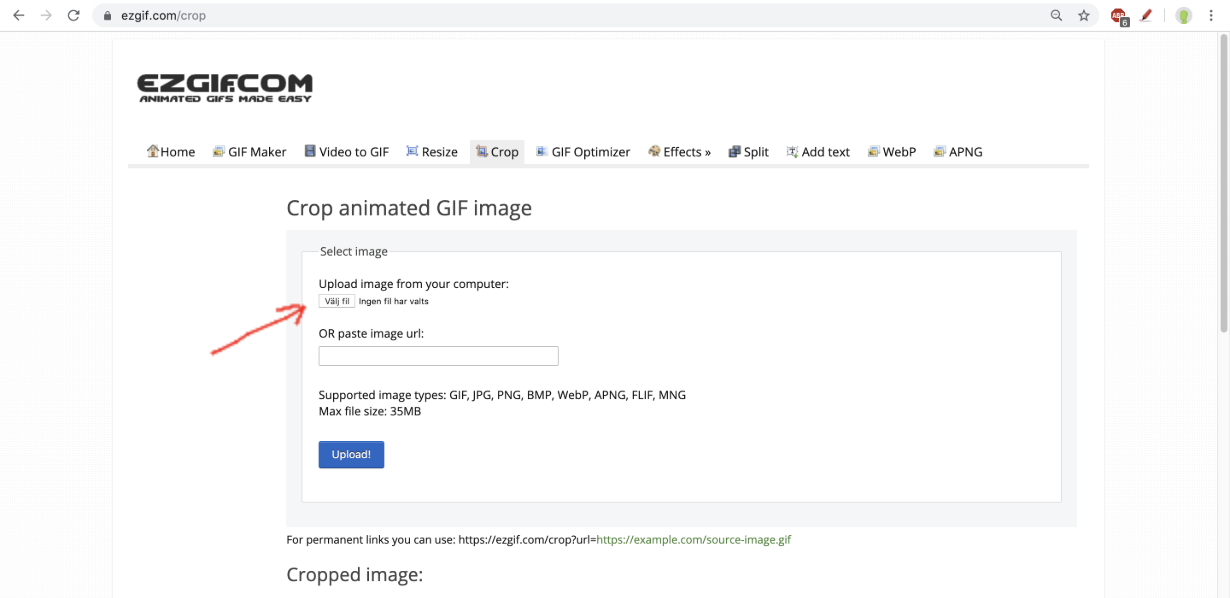
1. Head over to https://ezgif.com/crop/


2. Upload your image

8eeac7cab35df525a1da4db7e39f07d8.png


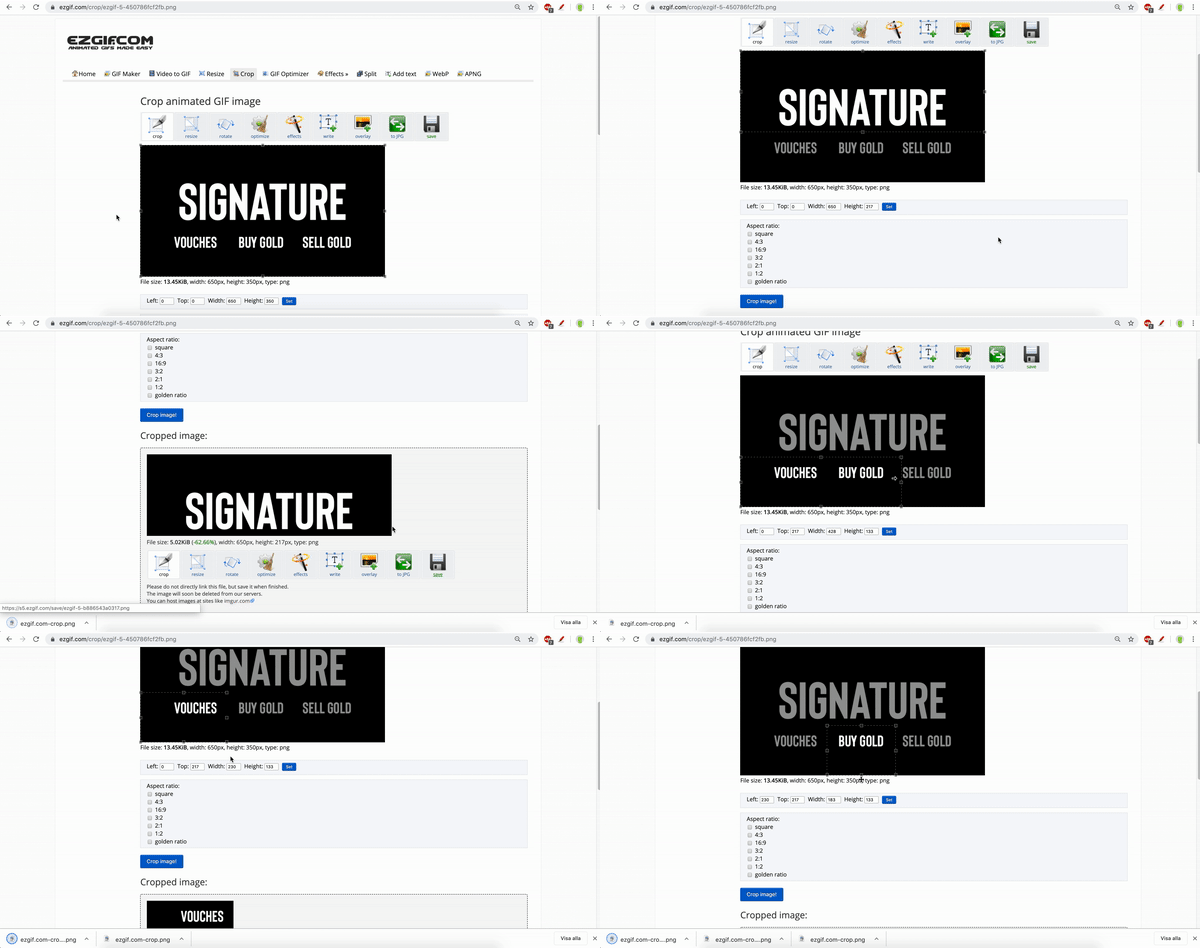
3. Crop your signature by dragging the handles as shown below

4da787fc45a084e13dcf7775425845a0.gif


Upload

4. Upload your cropped images to Imgur or Gyazo


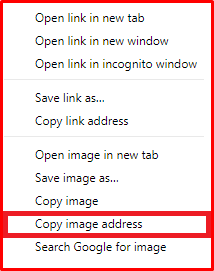
5. Right click an image and select "Copy Image Address"

image-1.png


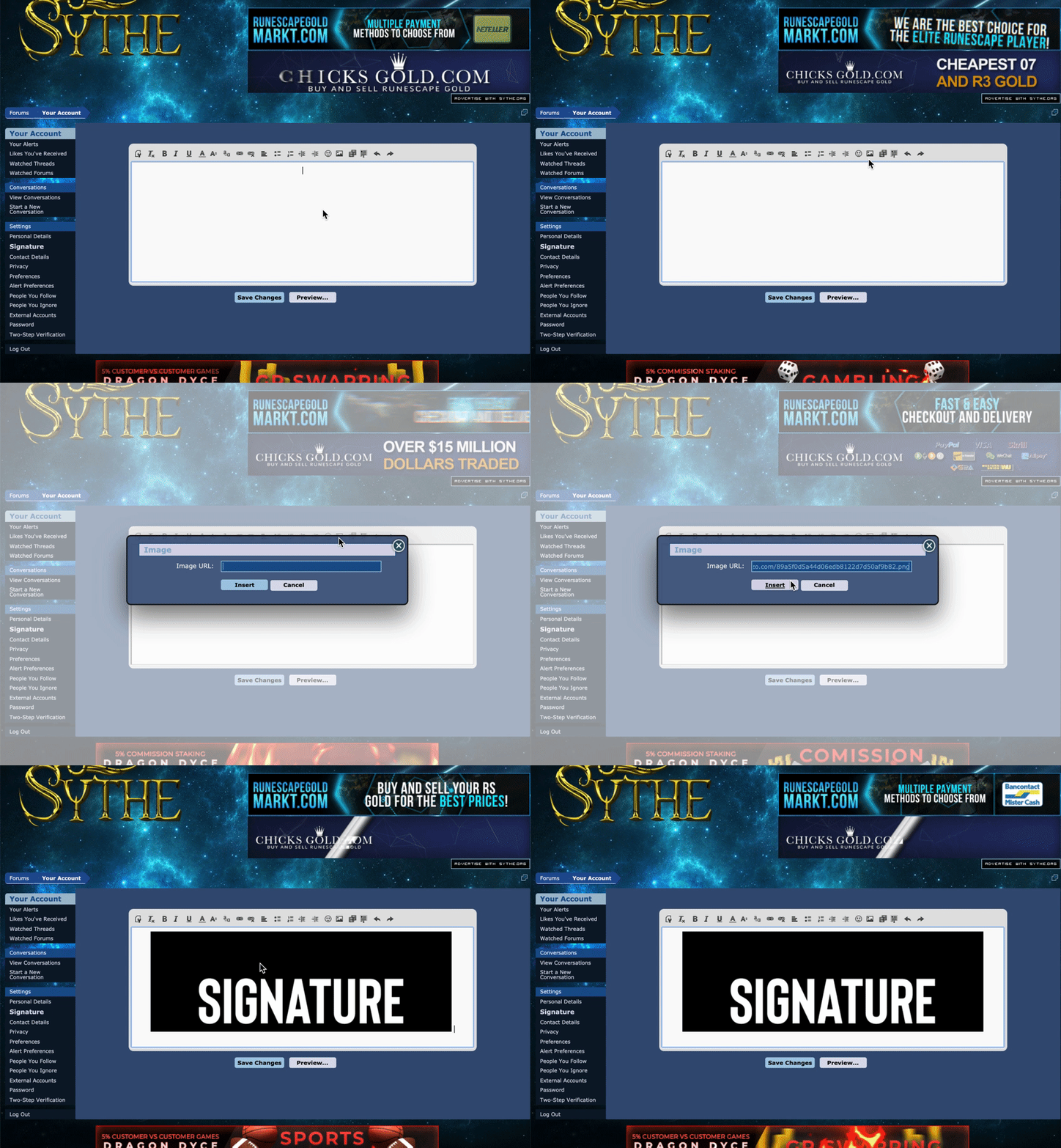
6. Go to https://www.sythe.org/account/signature to edit your signature


7. Click on the Image button and insert the copied Image Address as shown below

c71a1e7710da72cc8f25db6c0e645daf.gif


8. Do this for all your cropped images. Don't forget to press backspace after inserting an image, as a blank space is automatically added after insertion.


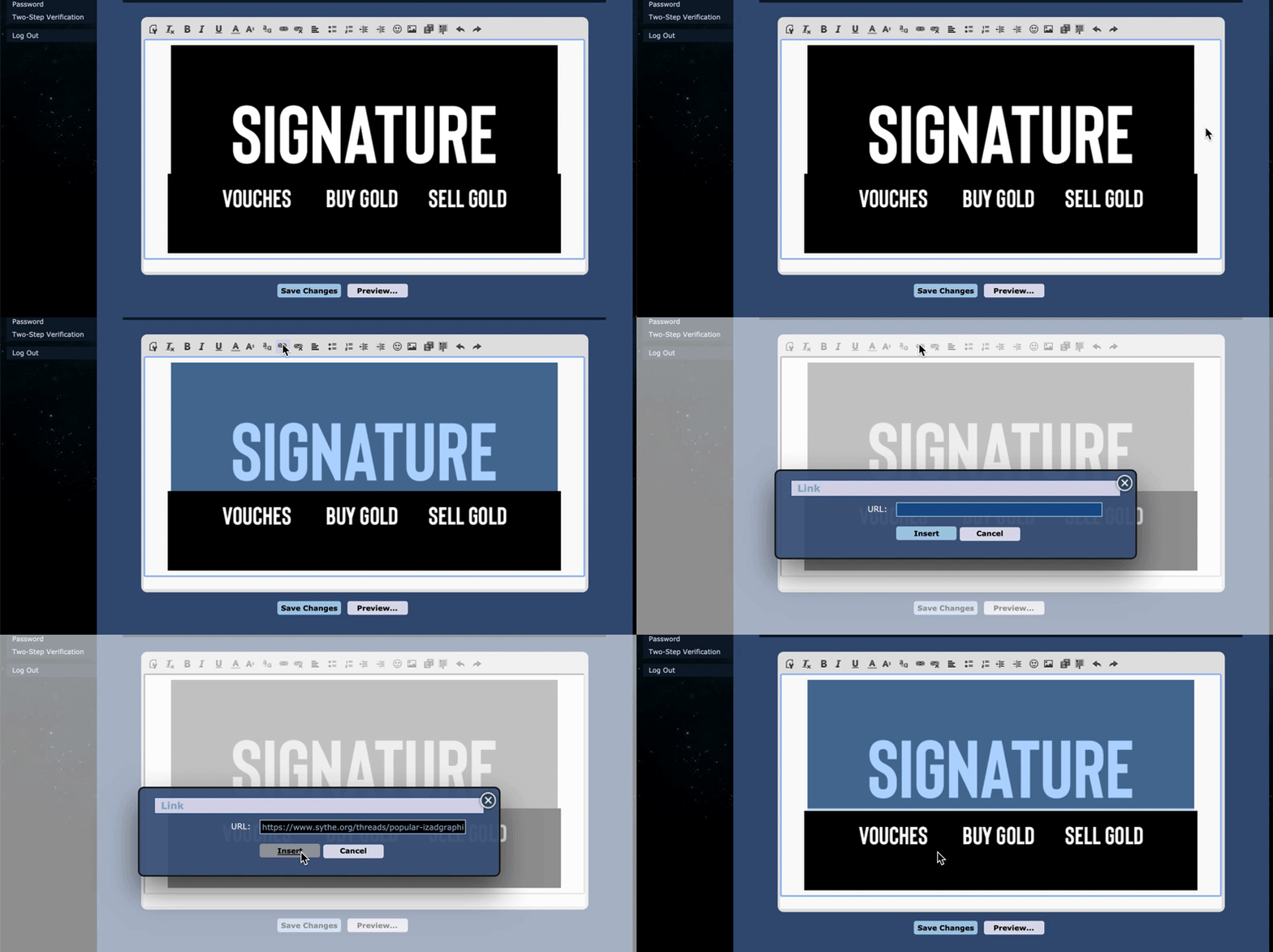
Hyperlink

9. Select the image you want to link and click on Link button. Paste the URL of the thread you want the image to link to when clicked on.

59b04db1b9e637d558101d9703f15b9b.gif


10. Make sure you hyperlink all parts in the signature to avoid formatting errors. In the example above you would want to hyperlink all 4 parts.

credit for this goes to izad :) hope this helps!
 
The site dont let you until you donate
 
New changes? I also get this, was about to post about it til I saw this thread.

"You must be a donor to hide your online status" Luckily I have mine before they changed it, would like to change it though. :)
 
I am unsure because I have donated now sorry
 
Status
Not open for further replies.
Back
Top