• Log in or sign up for an account here: https://www.sythe.org/login

Searching word(s) on a page!

sm321

Grand Master
Joined
Nov 2, 2011
Sythe Gold
0
Messages
2,514
How to search for any letter(s)/word(s) on a page:

Step 1:

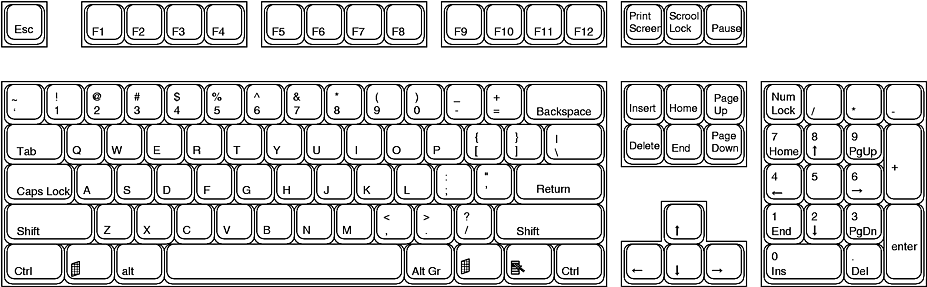
On your keyboard, press Ctrl+F


You will then see this:

rf5O


Now type what you are looking for:

roAK


As you can see, it has found two results (view right hand side of the search bar) and has highlighted the first result.

If you also look at the scroll-bar, that has yellow markings as to which line the searched result is.

The same applies to Internet Explorer, but the search bar looks different:

roNW
​
 
Christmas 2014
Christmas 2015
Halloween 2014
Homosex
In Memory of Jon
This is for Google Chrome only. I don't think Firefox highlights the next word(s) in the scroll bar, at least it didn't the last time I did.

I've haven't used IE in a long time, dunno if it works with that.

I cannot say that this was helpful to me, or it would help anyone else. I'm pretty sure 99% of the people on Sythe knows about it.

I like the picture of the keyboard where you showed exactly what to press and where it was. For new learners on the internet, that would help them.
 
This is for Google Chrome only. I don't think Firefox highlights the next word(s) in the scroll bar, at least it didn't the last time I did.

I've haven't used IE in a long time, dunno if it works with that.

I cannot say that this was helpful to me, or it would help anyone else. I'm pretty sure 99% of the people on Sythe knows about it.

I like the picture of the keyboard where you showed exactly what to press and where it was. For new learners on the internet, that would help them.

Thankyou for the feedback :) And just to let you know, this does work on Internet Explorer:

roNW


I think I'll add that into the guide.
 
This is for Google Chrome only. I don't think Firefox highlights the next word(s) in the scroll bar, at least it didn't the last time I did.

You're right about FF not highlighting the next word automatically, but you can press highlight all when you use CTRL+F in Firefox, so it works all the same. Also, I feel like this should be in the internet section rather than computing.


ub5HN.jpg
 
You're right about FF not highlighting the next word automatically, but you can press highlight all when you use CTRL+F in Firefox, so it works all the same. Also, I feel like this should be in the internet section rather than computing.


ub5HN.jpg

Thankyou for the feedback :) I didn't realize that there was an internet section.
 
St. Patrick's Day 2013
Two Factor Authentication User
Easter 2013
Heidy
Homosex
Pizza Muncher
It does work in firefox.
It should work in any browser as it's a computer function, not a browser function.
 
Thanks sm321!

Also, all browsers should support this function as it is like pre-coded in the backbone of computer.

Thankyou :) They do I believe, and even things like Notepad and Microsoft Word can be searched using this function.
 
Good guide although a lot of people know this it's a good, simple guide to follow.
 
Runescape Gamblingrunescape gambling
Back
Top