
Veteran




How to user a router as an access point and get more coverage!
- Introduction
In this guide I will teach you to make your old routers useful and get more coverage in your house or office. I will be using an old D-Link router I have in this guide, setup it as an Access Point to be able to get more coverage, maintaining the same SSID and network!
I came up with the idea to this guide mostly because I have 4 routers as home. First one is the ADSL modem, but it's shutoff. Second is the main router, that deals the ADSL line with the first router as bridge and has best coverage. The last two are D-Link Routers setup as APs to cover my concrete 2-floor house.
- Getting an old router
You will need one router to do this, maybe one you have or go ask a friend or family if they have one not being used. You can also buy old cheap routers for $10-20 if you need a small area covered.
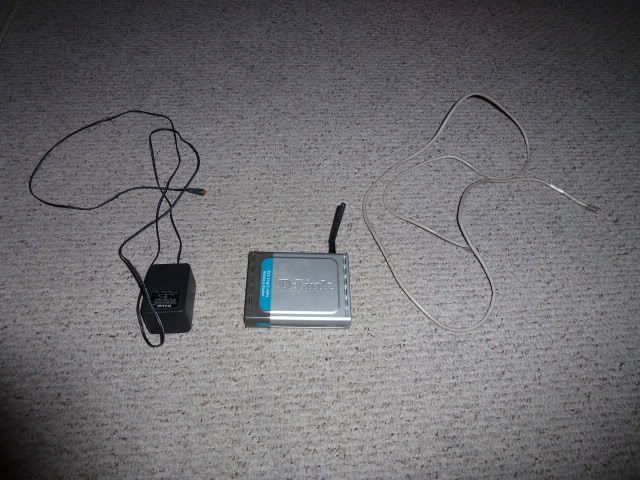
- Configuring the router
Okay, before you connect it to your main router, you must configure it! But even before you configure it, you must reset it! So using a clip or a pen, hold the reset button found in all routers for 30+ seconds
Now we are ready to configure it- Plug in the power and boot it
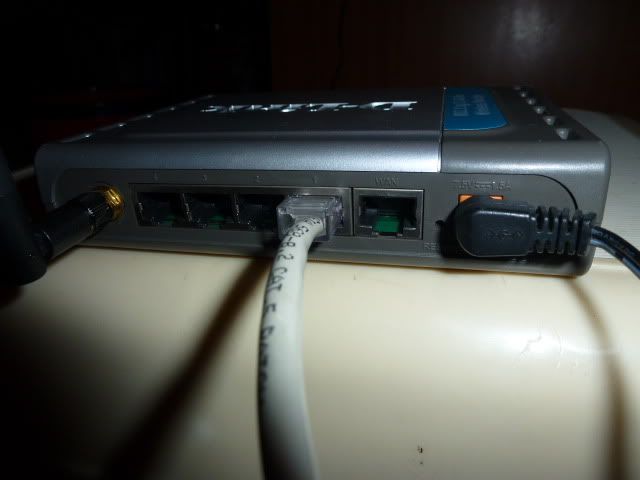
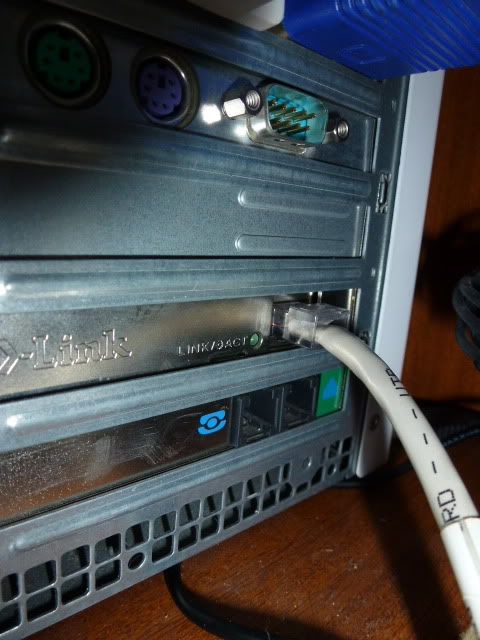
- Connect an ethernet cable from your PC to your router (LAN port as seen above)
- Open the web GUI of your router (Normally 192.168.0.1)
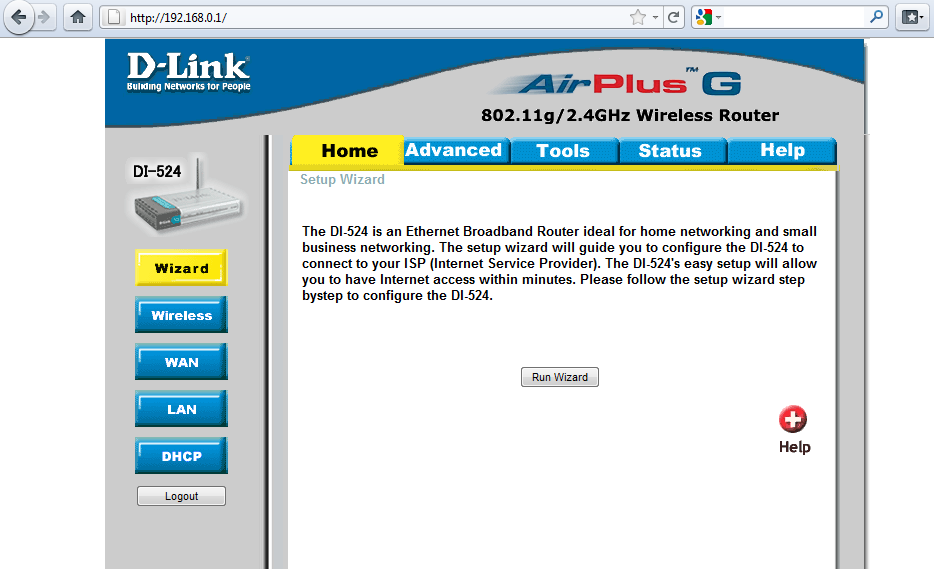
- Enter the router's password. You can get it here
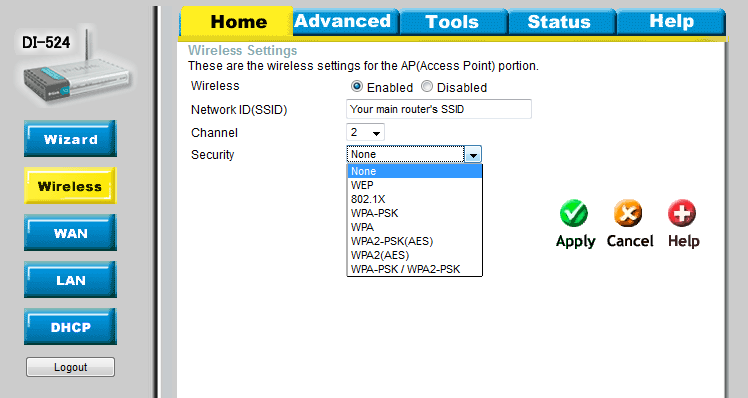
- Configure the Wireless settings with the main router's SSID, a different channel and same security type & password.
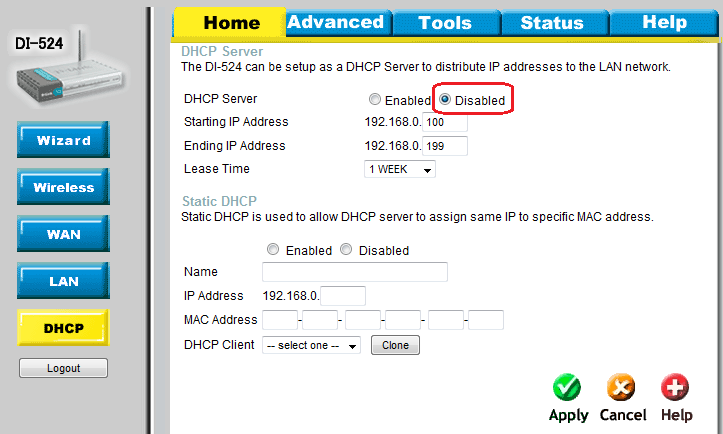
- Disable DHCP
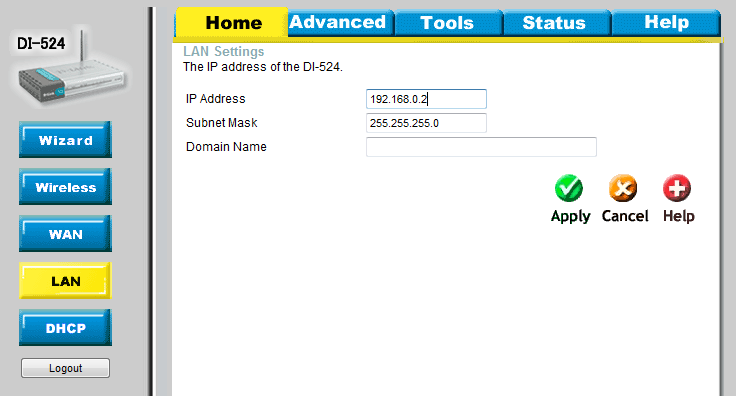
- Finally change the router's IP to 192.168.0.2 (Or any ending IP you want)
- Plug in the power and boot it
- Disconnect your the ethernet plug from your PC and put it in your main router.
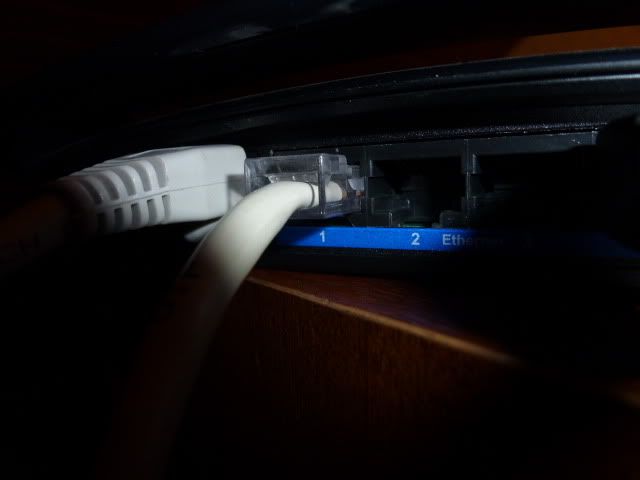
Enjoy more coverage and don't throw your routers away!
Thanks for reading!