




Strive not to be a success, rather be of value.





Recently I started playing quite a bit of PUBG and I do like the game, though just like on anyone else's PC it's extremely heavy. While that isn't something I can change, I'm fairly sure the issue I have right now should be able to be changed.
Here's a few screenshots of how my game looks like:
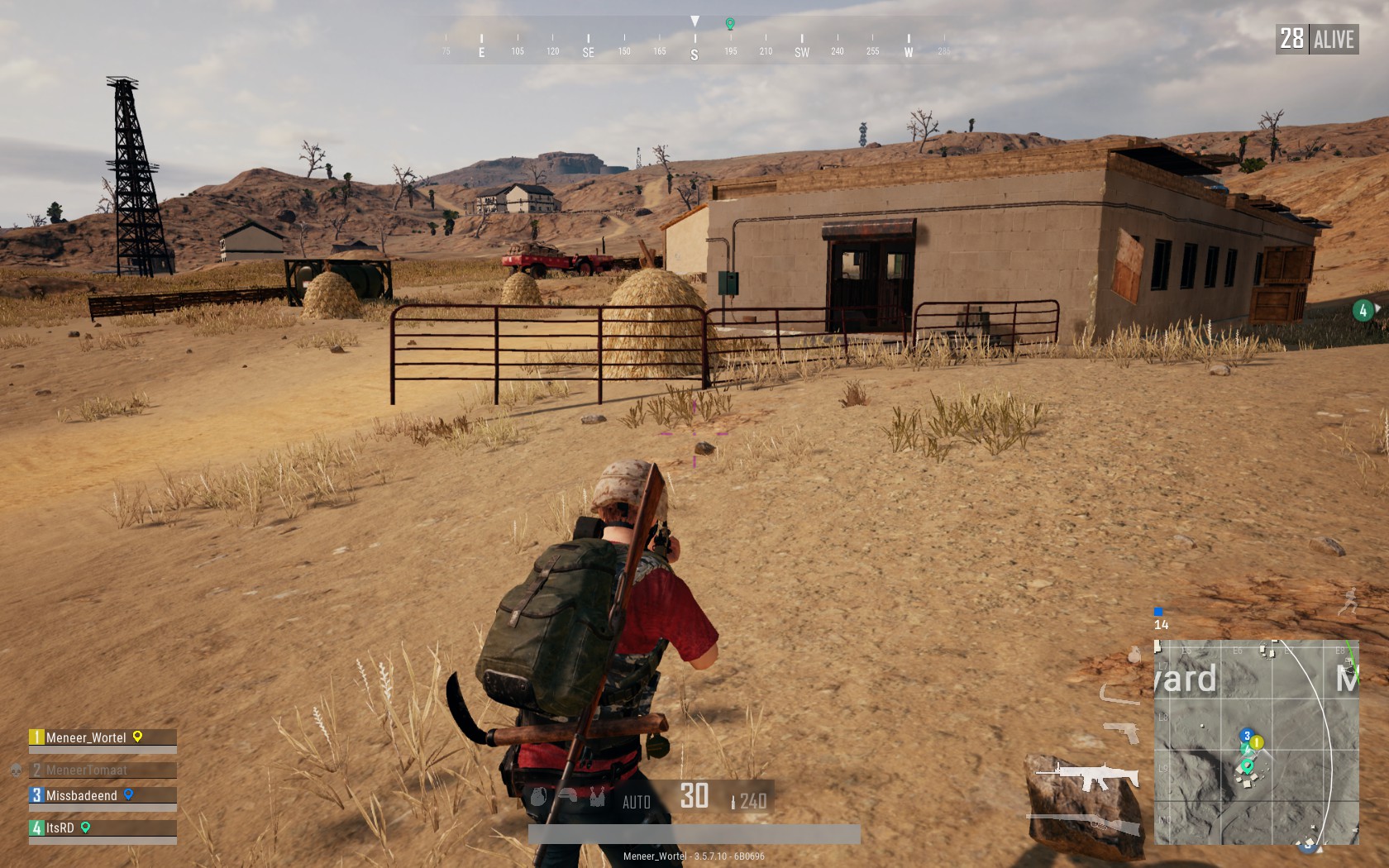
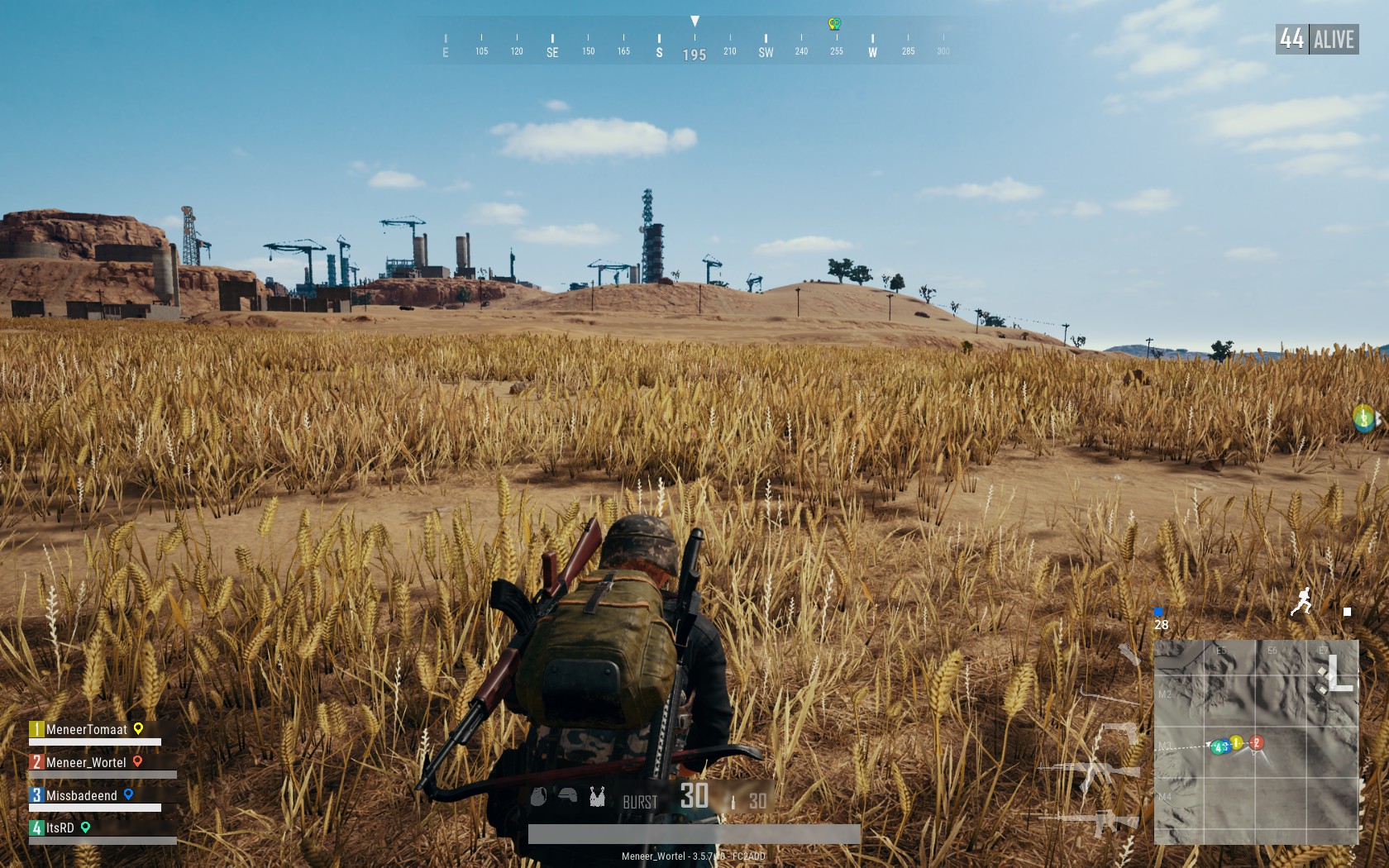
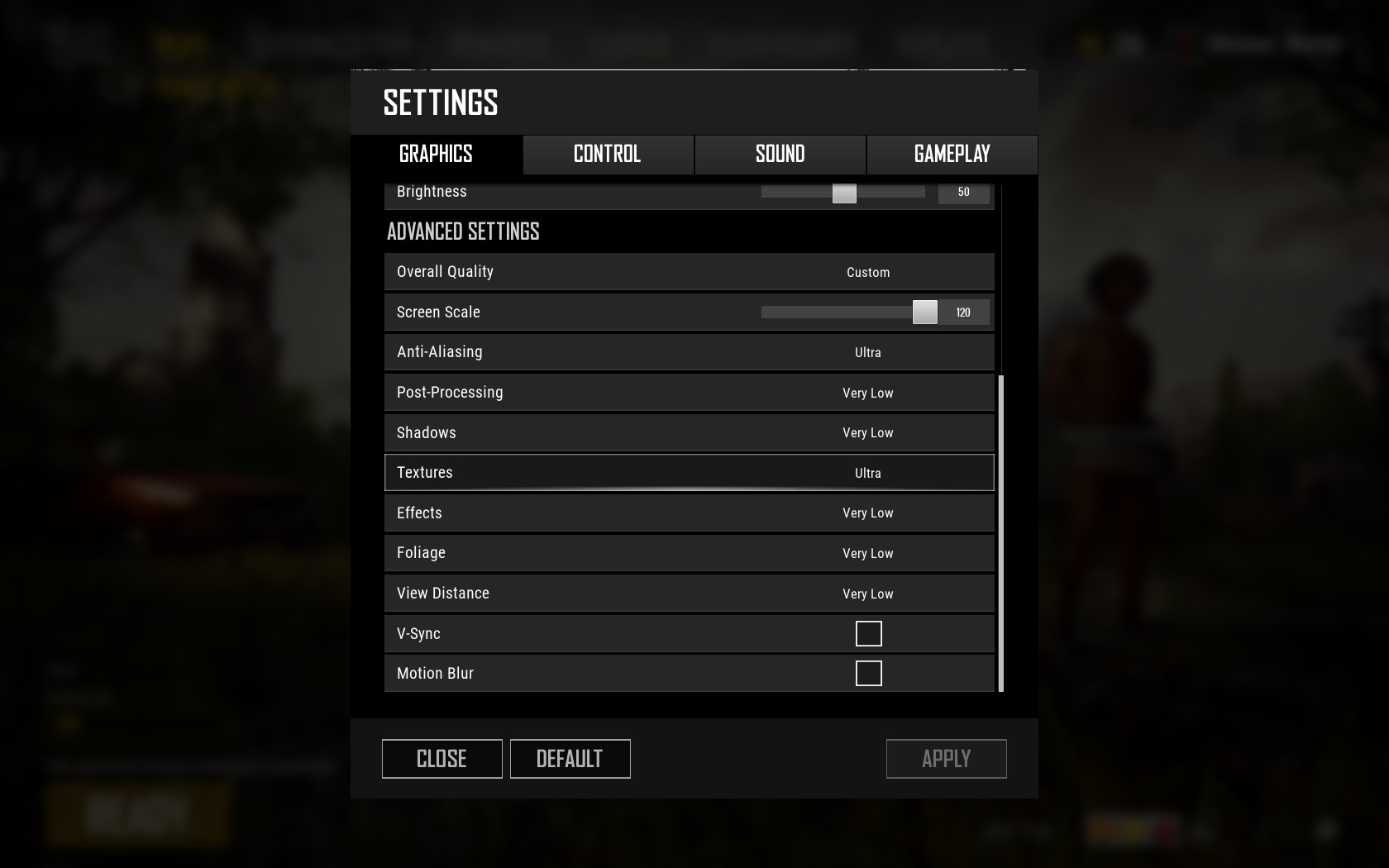
As you can see to me the dark spots are too dark, the light spots are too light. The textures of buildings and rails etc look edgy and blurry even though anti alias is set to Ultra. Screenscale is set to 120 so things do look more detailed though this was recently changed and is not the cause of the issue.
My launch options are: -USEALLAVAILABLECORES -malloc=system -sm4
I did mess with NVIDIA Control Panel settings too, though tried to reset them yesterday. Not sure if that properly worked.

Digital Vibrance is on 100% in the Desktop Color Settings because I do like the warm colors in games, though the ones I have in PUBG are way too much.
Any help here or is this just how the game looks for everyone?
Here's a few screenshots of how my game looks like:
As you can see to me the dark spots are too dark, the light spots are too light. The textures of buildings and rails etc look edgy and blurry even though anti alias is set to Ultra. Screenscale is set to 120 so things do look more detailed though this was recently changed and is not the cause of the issue.
My launch options are: -USEALLAVAILABLECORES -malloc=system -sm4
I did mess with NVIDIA Control Panel settings too, though tried to reset them yesterday. Not sure if that properly worked.
Digital Vibrance is on 100% in the Desktop Color Settings because I do like the warm colors in games, though the ones I have in PUBG are way too much.
Any help here or is this just how the game looks for everyone?







