




How To Make A Commentary For Your Video Using Your Mp3!
Difficulty: 3/10
Requirements:
Mp3 Player With Microphone Built In

Youtube Account
Program To Edit Videos
Computer

Program Used To Edit Video: Sony Vegas
Downloads:
Sony Vegas
[URL="http://www.download.com/CamStudio/3000-13633_4-10067101.html"]CamStudio(To Record Videos)[/URL]
Step 1. Download a Program to edit videos. I recommend Sony Vegas download the trail Here
Step 2. Turn on your Mp3 Player and start recording your voice into Microphone. Now save it. Microphone should look like the image below:

Step 3. Now Plug your Mp3 Player into your computer. At shown below:
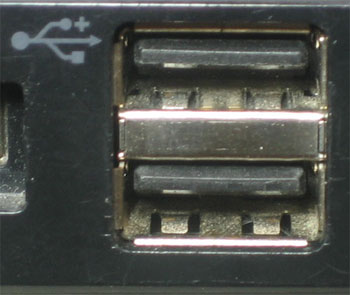
There should be a Pop-Up. Asking with what you would like to open the Device with. Click open Device Files/Folders. Now go into MIC-IN in the folder and Right-Click on the one you recorded you voice with. Now click Send To -> My Documents.
Step 4. Now Open-Up Sony Vegas and Import your video and Audio/the thing you recorded on you Mp3 Player. Should look like this:

Difficulty: 3/10
Requirements:
Mp3 Player With Microphone Built In
Youtube Account
Program To Edit Videos
Computer
Program Used To Edit Video: Sony Vegas
Downloads:
Sony Vegas
[URL="http://www.download.com/CamStudio/3000-13633_4-10067101.html"]CamStudio(To Record Videos)[/URL]
Step 1. Download a Program to edit videos. I recommend Sony Vegas download the trail Here
Step 2. Turn on your Mp3 Player and start recording your voice into Microphone. Now save it. Microphone should look like the image below:
Step 3. Now Plug your Mp3 Player into your computer. At shown below:
There should be a Pop-Up. Asking with what you would like to open the Device with. Click open Device Files/Folders. Now go into MIC-IN in the folder and Right-Click on the one you recorded you voice with. Now click Send To -> My Documents.
Step 4. Now Open-Up Sony Vegas and Import your video and Audio/the thing you recorded on you Mp3 Player. Should look like this:





