Teh Skiller
Active Member
- Joined
- Jun 25, 2008
- Sythe Gold
- 0
- Messages
- 108
 How To Delete A Virus...FULLY!
Hello all, i had a trojan that wouldnt go away and so i decided o post this because many people dont know how to. First of all, those programs that "delete" them, dont work. They just delete it from there list and it is still there taking over your computer. I have included pictures too to help you fully. (Steps are color coded)
First, start up your computer and keep pressing f8 untill this screen comes up.

As in the picture above, select safe mode.
Second, log on and dont worry, in safe mode your computer doesnt run the virus so you can access it. The screen look look like this...(or at least somewhat like it)

Third, you will need to turn off system restore, for vista, if u didnt set up a restore point skip this. If you did, put in system restore at the search menu in the start toolbar. For Windows XP, Go into start menu and right click computer and go into properties. From there go into the system restore tab and turn it off.


Fourth, in vista and XP go into start, control panel, classic view, and folder options. When you get to that click the following in the picture...

Also, unlike the picture above, uncheck the hide system files box.
Fifth, run a virus scanner.
Sixth, When you find the virus, look at its location and copy it and once you know its location, press the button that fixes them on your scanner.
Seveth, go to the location of the virus and double check to make sure its gone. if it is not delete the little nasty and then delte it from recycling bin.

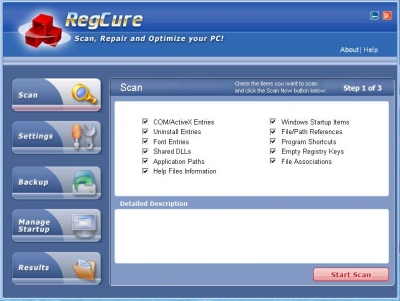
Eighth, run a registry cleaner.
Finally, start up normally and your done!

YAY NO VIRUS!!!!!!
First, start up your computer and keep pressing f8 untill this screen comes up.
As in the picture above, select safe mode.
Second, log on and dont worry, in safe mode your computer doesnt run the virus so you can access it. The screen look look like this...(or at least somewhat like it)
Third, you will need to turn off system restore, for vista, if u didnt set up a restore point skip this. If you did, put in system restore at the search menu in the start toolbar. For Windows XP, Go into start menu and right click computer and go into properties. From there go into the system restore tab and turn it off.
Fourth, in vista and XP go into start, control panel, classic view, and folder options. When you get to that click the following in the picture...
Also, unlike the picture above, uncheck the hide system files box.
Fifth, run a virus scanner.
Sixth, When you find the virus, look at its location and copy it and once you know its location, press the button that fixes them on your scanner.
Seveth, go to the location of the virus and double check to make sure its gone. if it is not delete the little nasty and then delte it from recycling bin.
Eighth, run a registry cleaner.
Finally, start up normally and your done!
YAY NO VIRUS!!!!!!