Discord PM Template
NEW STICKY:
[Important] Confirm who you are speaking with on Discord!
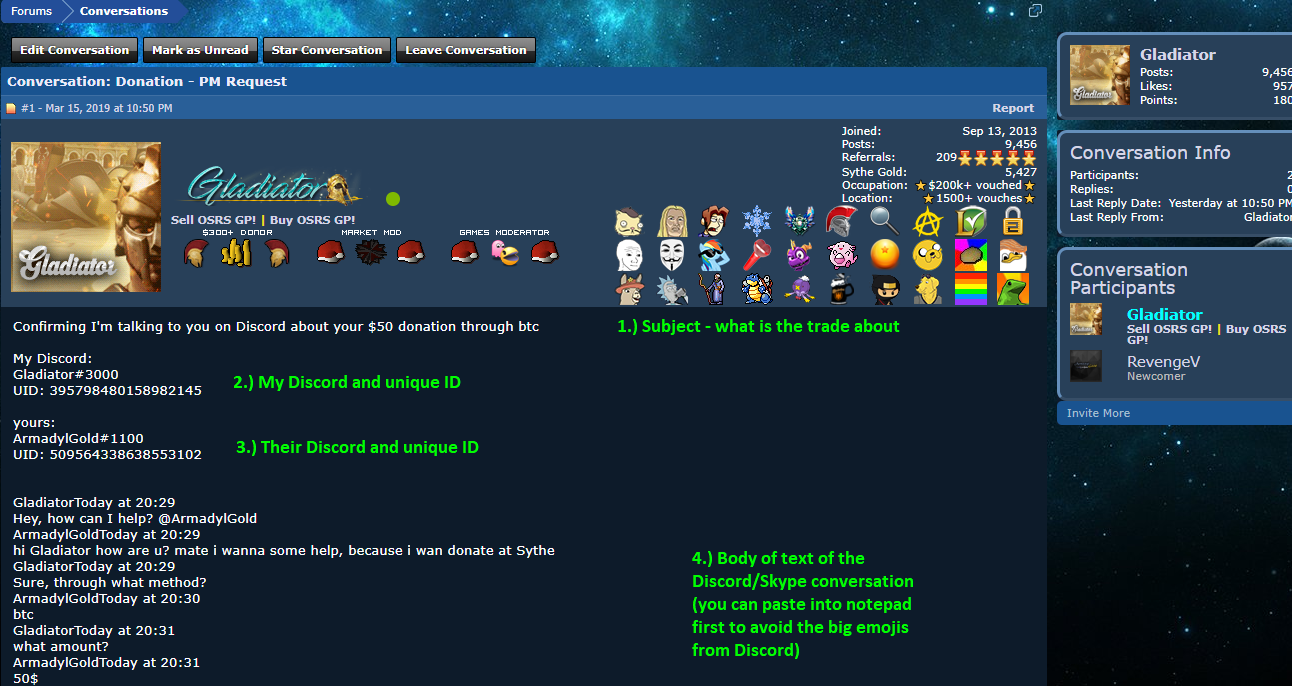
Discord PM Template:
Your Unique Discord ID:
My Unique Discord ID:
(THIS CANNOT BE FAKED, DOUBLE CHECK YOUR UNIQUE ID AND THEIRS!)
Your Discord:
My Discord:
Trade:
Part of the conversation:
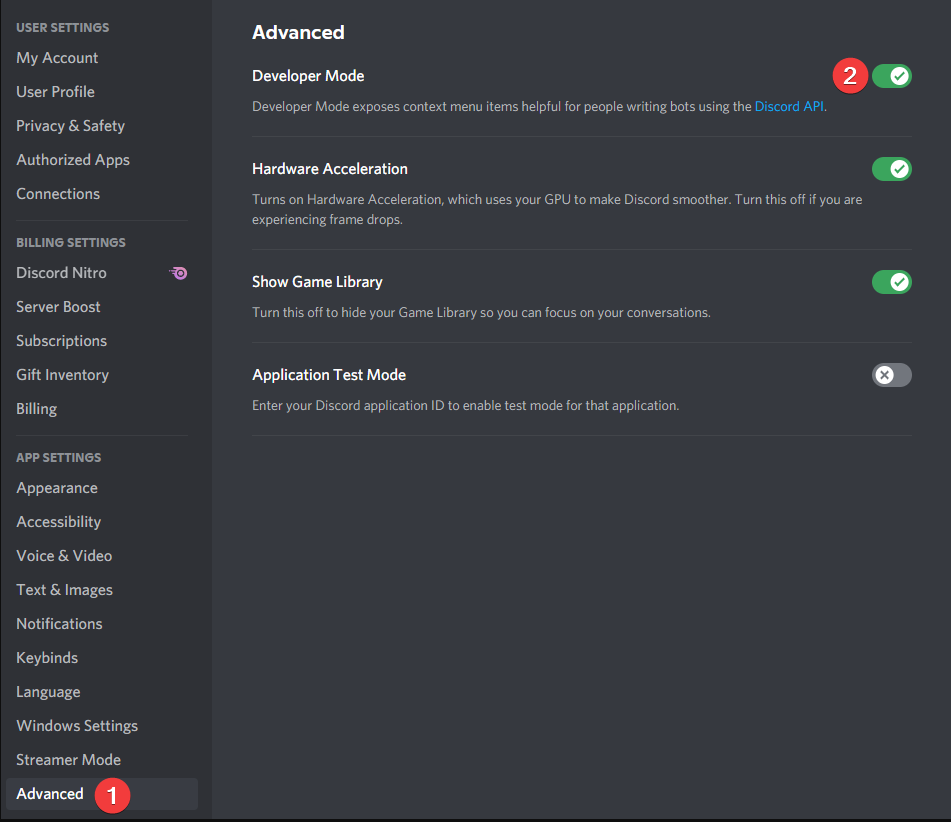
We will be reforming the PM format for Discord trades in order to combat Discord imposters. Any user who trades on Discord will be recommended to include their unique profile ID in a confirmation PM, which can never change. To do so you have to go to your "Discord Settings" > "Appearance Tab" > "Turn Developer mode ON!".
Turning Developer mode on:
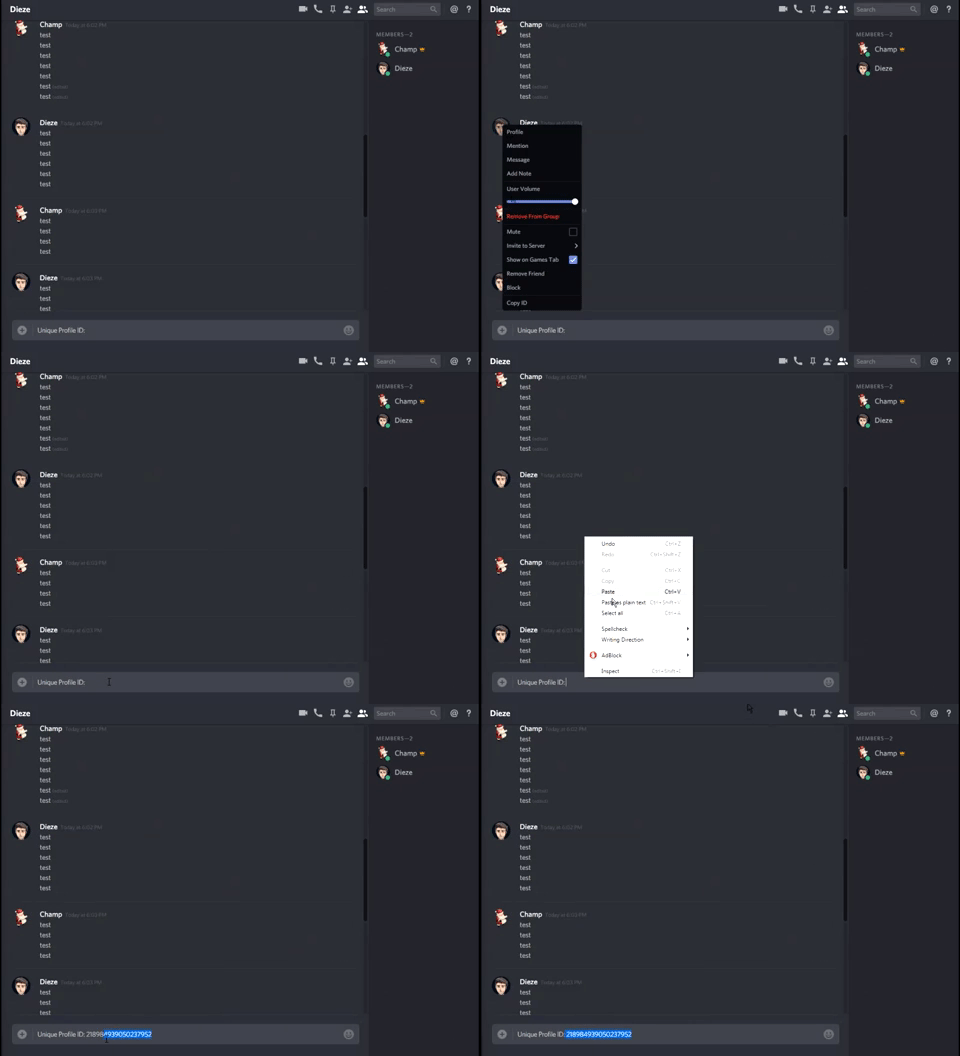
Unique Customer ID:
NOTE: It is recommended to USE this as a proper PM moving forward with Discord trades.
[Important] Confirm who you are speaking with on Discord!
Discord PM Template:
Your Unique Discord ID:
My Unique Discord ID:
(THIS CANNOT BE FAKED, DOUBLE CHECK YOUR UNIQUE ID AND THEIRS!)
Your Discord:
My Discord:
Trade:
Part of the conversation:
We will be reforming the PM format for Discord trades in order to combat Discord imposters. Any user who trades on Discord will be recommended to include their unique profile ID in a confirmation PM, which can never change. To do so you have to go to your "Discord Settings" > "Appearance Tab" > "Turn Developer mode ON!".
Turning Developer mode on:
Unique Customer ID:
NOTE: It is recommended to USE this as a proper PM moving forward with Discord trades.
Last edited by a moderator:


 Discord PM Template