




- Joined
- Apr 14, 2011
- Sythe Gold
- 3,499
- Messages
- 11,092
- Discord Unique ID
- 141117685059551232
- Discord Username
- Tyler#2286


Bleuskittle has reported a post.
Reason:
Forum: Community Input
Assigned Moderators: Cas_M
Posted by: Bleuskittle
Original Content:
Reason:
Post: Submit ideas for Halloween Minirank 2015close it up
Forum: Community Input
Assigned Moderators: Cas_M
Posted by: Bleuskittle
Original Content:
Submit an Halloween themed icon (make sure we have not used the images for previous miniranks) and make sure it:
You don't have to make the icon, you can rip it from anywhere
- Is 32x32 px
- Is brightly coloured against a blue Sythe background
- It has a small 15 on a corner
- You can submit unlimited entries
We'll run a poll when we get a handful of submissions and the winner will receive a minirank of their choice.
Find your image on Google, I recommend using transparent search to avoid ugly background boxes which can be a hassle if you use this simple method:
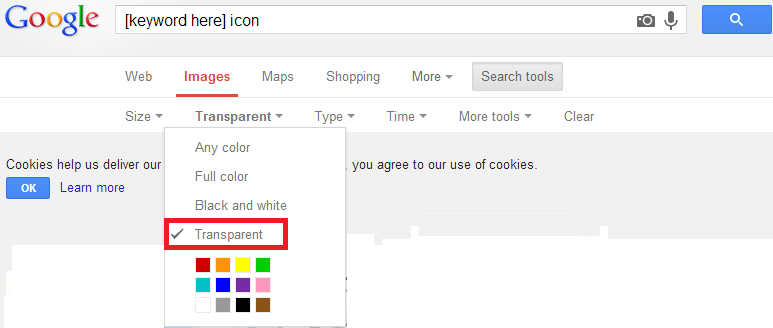
Click the image of choice, then choose "View original image"

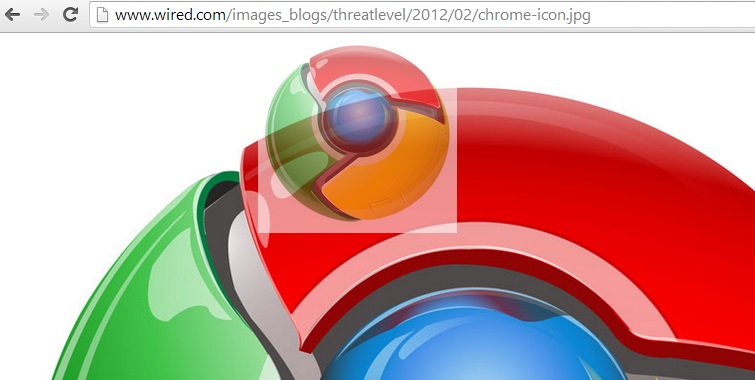
Check the image is transparent, I usually just quickly drag the image on to the nav-bar and if a white border appears, it's not transparent
As you can see, this one isn't transparent:
and this one is transparent:
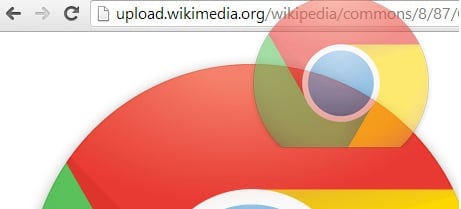
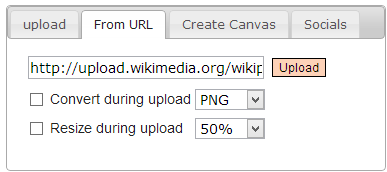
Next, go to www.online-image-editor.com and paste the direct link you got from "View original image" in to the upload box:
You'll find a toolbar above your image, find the "Resize" tool and resize the image so it's no bigger than 32x32.

Have "Aspect ratio" ticked to avoid stretched/blurry icons
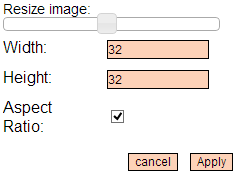
Apply this change and then right click the image and "copy image":
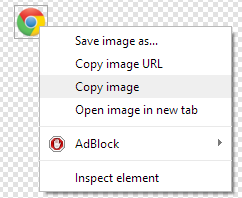
Go to www.imgur.com and hold Ctrl+V to upload the icon:
This step is important, as although you can get a direct link from the editor, they expire shortly.