



- Joined
- Jul 15, 2020
- Sythe Gold
- 1
- Messages
- 41


Images must be 32px x 32px.
Images must have "20" on the bottom right-hand corner.
Images must have a transparent background.
Maximum of 3 entries per person.
___
Previous Summer Miniranks for inspirational purposes:


DNT users are allowed to play but will not be awarded any prizes.

The Community Development Team will vote for the 10 best entries.
Once that's done, the community will choose the top 3 winners!
How to make a minirank guide - easy way for noobs
Find your image on Google, I recommend using transparent search to avoid ugly background boxes which can be a hassle if you use this simple method:
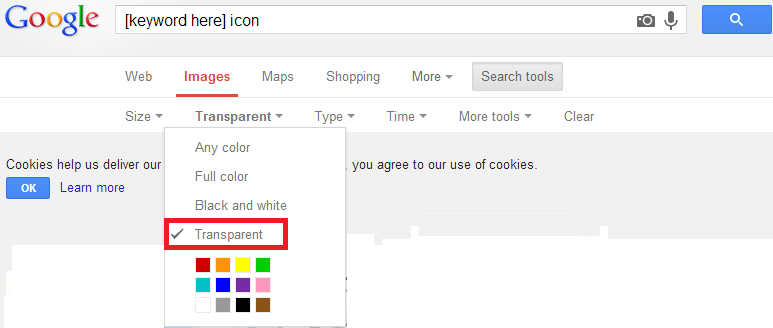
Click the image of choice, then choose "View original image"

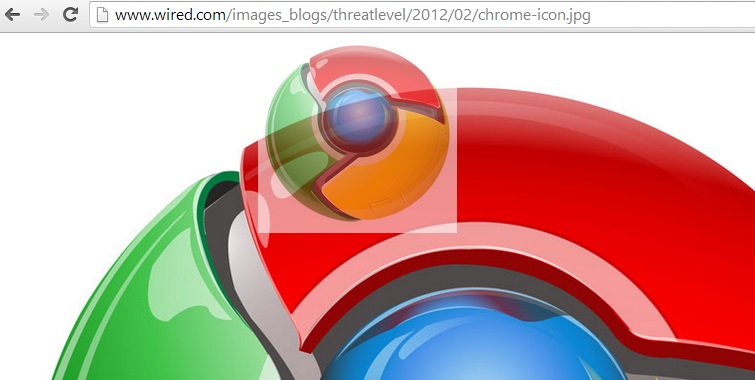
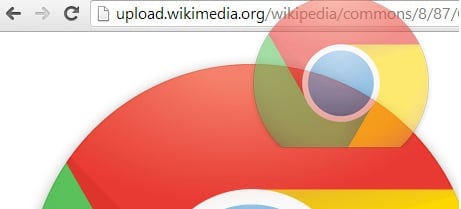
Check the image is transparent, I usually just quickly drag the image on to the nav-bar and if a white border appears, it's not transparent
As you can see, this one isn't transparent:
and this one is transparent:
Next, go to www.online-image-editor.com and paste the direct link you got from "View original image" in to the upload box:
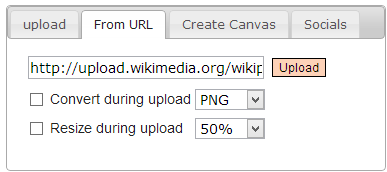
You'll find a toolbar above your image, find the "Resize" tool and resize the image so it's no bigger than 32x32.

Have "Aspect ratio" ticked to avoid stretched/blurry icons
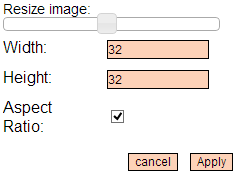
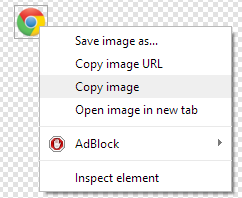
Apply this change and then right click the image and "copy image":
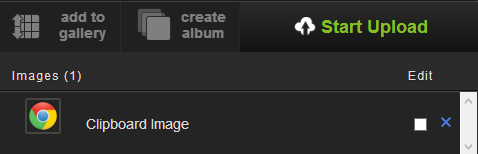
Go to www.imgur.com and hold Ctrl+V to upload the icon:
This step is important, as although you can get a direct link from the editor, they expire shortly.[/B]
Click the image of choice, then choose "View original image"
Check the image is transparent, I usually just quickly drag the image on to the nav-bar and if a white border appears, it's not transparent
As you can see, this one isn't transparent:
and this one is transparent:
Next, go to www.online-image-editor.com and paste the direct link you got from "View original image" in to the upload box:
You'll find a toolbar above your image, find the "Resize" tool and resize the image so it's no bigger than 32x32.
Have "Aspect ratio" ticked to avoid stretched/blurry icons
Apply this change and then right click the image and "copy image":
Go to www.imgur.com and hold Ctrl+V to upload the icon:
This step is important, as although you can get a direct link from the editor, they expire shortly.[/B]
 QWOP Game EventPhoto ContestPicnic Battle