


JavaScriptBank
Newcomer
- Joined
- Sep 25, 2009
- Sythe Gold
- 0
- Messages
- 17
Helpful JavaScripts to develop website
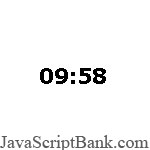
JavaScript Countdown Timer
This JavaScript displays a countdown timer and alerts the user when the timer reaches zero. It then redirects to another Web ... detail
How to setup
Step 1: Copy & Paste CSS code below in your HEAD section
CSS
Code:
<style type="text/css">
#txt {
  border:none;
  font-family:verdana;
  font-size:16pt;
  font-weight:bold;
  border-right-color:#FFFFFF
}

</style>
	<!--
    	This script downloaded from www.JavaScriptBank.com
    	Come to view and download over 2000+ free javascript at www.JavaScriptBank.com
	-->
Step 2: Copy & Paste JavaScript code below in your HEAD section
JavaScript
Code:
<script language="javascript">
// Created by: Neill Broderick :: http://www.bespoke-software-solutions.co.uk/downloads/downjs.php

var mins
var secs;

function cd() {
 	mins = 1 * m("10"); // change minutes here
 	secs = 0 + s(":01"); // change seconds here (always add an additional second to your total)
 	redo();
}

function m(obj) {
 	for(var i = 0; i < obj.length; i++) {
  		if(obj.substring(i, i + 1) == ":")
  		break;
 	}
 	return(obj.substring(0, i));
}

function s(obj) {
 	for(var i = 0; i < obj.length; i++) {
  		if(obj.substring(i, i + 1) == ":")
  		break;
 	}
 	return(obj.substring(i + 1, obj.length));
}

function dis(mins,secs) {
 	var disp;
 	if(mins <= 9) {
  		disp = " 0";
 	} else {
  		disp = " ";
 	}
 	disp += mins + ":";
 	if(secs <= 9) {
  		disp += "0" + secs;
 	} else {
  		disp += secs;
 	}
 	return(disp);
}

function redo() {
 	secs--;
 	if(secs == -1) {
  		secs = 59;
  		mins--;
 	}
 	document.cd.disp.value = dis(mins,secs); // setup additional displays here.
 	if((mins == 0) && (secs == 0)) {
  		window.alert("Time is up. Press OK to continue."); // change timeout message as required
  		// window.location = "yourpage.htm" // redirects to specified page once timer ends and ok button is pressed
 	} else {
 		cd = setTimeout("redo()",1000);
 	}
}

function init() {
  cd();
}
window.onload = init;
</script>
	<!--
    	This script downloaded from www.JavaScriptBank.com
    	Come to view and download over 2000+ free javascript at www.JavaScriptBank.com
	-->
Step 3: Copy & Paste HTML code below in your BODY section
HTML
Code:
<form name="cd">
<input id="txt" readonly="true" type="text" value="10:00" border="0" name="disp">
</form>
	<!--
    	This script downloaded from www.JavaScriptBank.com
    	Come to view and download over 2000+ free javascript at www.JavaScriptBank.com
	-->
Command to print web page in javascript - Javascript Time Picker - JavaScript Go To URL Box
Copyright said:The Site may provide, or third parties may provide, links to non-JavaScriptBank.com Internet World Wide Web sites or resources. Because JavaScriptBank.com has no control over such sites and resources, you acknowledge and agree that JavaScriptBank.com is not responsible for the availability of such external sites or resources, and does not endorse and is not responsible or liable for any content, advertising, products, or other materials on or available from such sites or resources. You further acknowledge and agree that JavaScriptBank.com shall not be responsible or liable, directly or indirectly, for any damage or loss caused or alleged to be caused by or in connection with use of or reliance on any such content, goods or services available on or through any such site or resource.