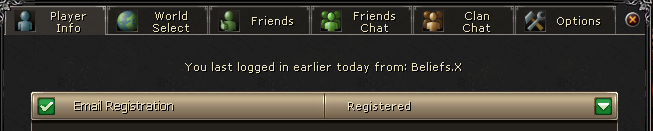
ok, heard about this on another forum and decided to share it with everone here on sythe if you didnt know about it already. anyways, this will help you to change the thing where it says your last login location on runescape to whatever you want, as long as there arent any spaces.]
step one: find your ip address. simply go too google, and google what is my ip. once you get that, copy it to yo clipboard.
step two: finding the right file to change. this is fairly easy, i did it within about 30 seconds using the search option. first, go to computer. then, click on your main hard drive.(mine is gateway(c), but yours could be anything, though it probably has a c in it). then, click on the folder called windows. after that, click on system 32. then, click drivers. after that, click hosts and open it with notepad.
*note: just use the search function to find all of these, it really is not difficult. if you require pictures to find a folder, maybe you should rethink life:/
step 3: simply go too the bottom line of the notepad document, and paste your ip address. then put a space, and type in whatever you want. im not sure if there is a limit on how long you can make it, but i do know you cant use spaces. i used peiods instead of spaces and that worked fine! anyways heres a picture for proof!





 This is a simple, yet genius idea